Infinity Mart - Ecommerce System
About This Project
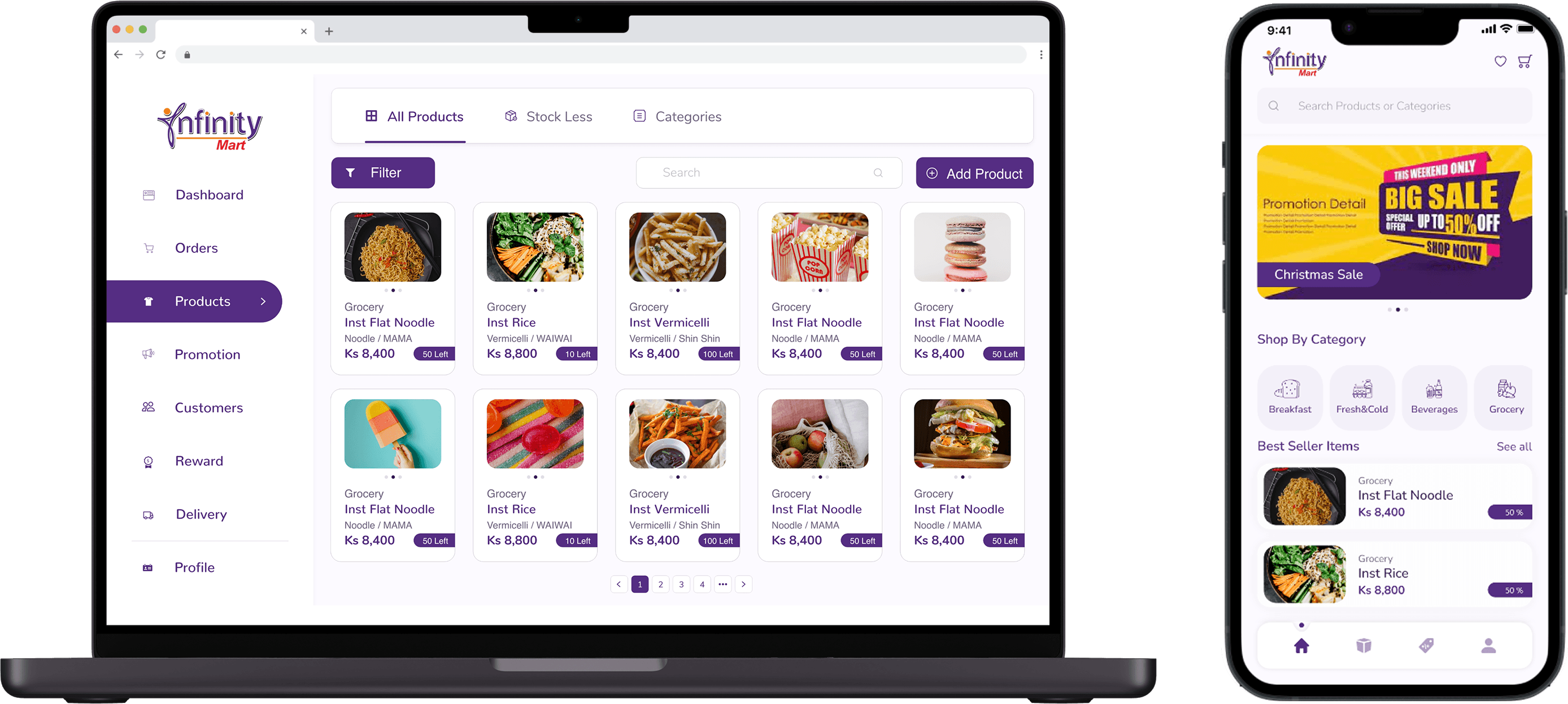
As a UI/UX Designer in the in-house ICT team at MGEC, a company specializing in B2B software solutions, I contributed to the digital transformation of Infinity Mart, a retail business in Yangon. MGEC helps businesses optimize operations and enhance customer engagement through innovative technological services.
The Infinity Mart project involved designing a user-friendly app with a loyalty system, personalized promotions, and an intuitive admin dashboard for inventory and order management. These solutions streamlined online sales and improved customer engagement.
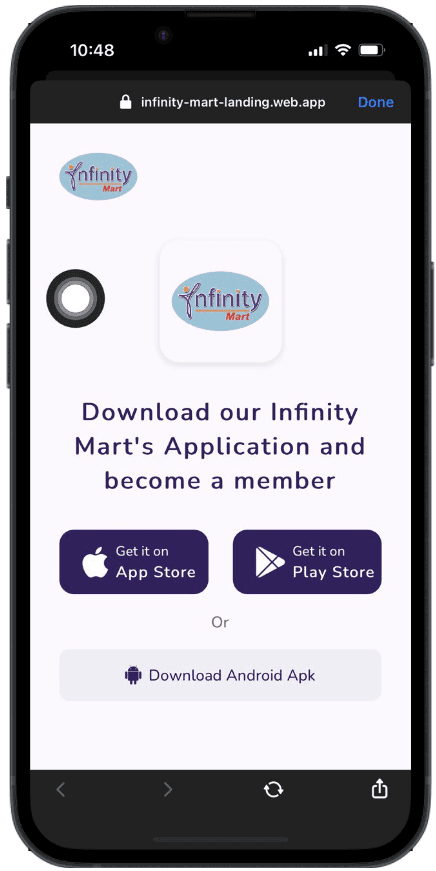
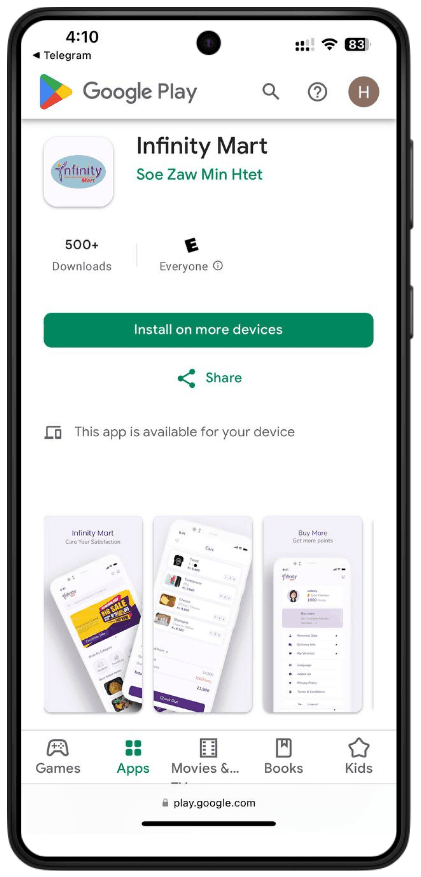
The app is now live on both Google Play Store and Apple App Store.
ROLE
User Experience
Visual Design
Prototyping
CLIENT
Infinity Mart
DATE
Dec 2021 - Feb 2022
Tools

Meet My Team





Problem Statement & Goals
Problem 🤔
Stock and Order Management:
Infinity Mart struggles to manage stock and track orders across different platforms, causing delays and a lack of real-time updates.
Reward System Complexity:
Their custom points system and diverse user memberships require careful management to ensure seamless integration and user satisfaction.
Seasonal Promotions:
Coordinating seasonal promotions for different customer groups is challenging, often leading to operational issues.
Goals 🎯
Our goal was to create an all-in-one web platform where admins can manage actions and track orders while customers can seamlessly purchase products and earn rewards.
Solution ✨
A Seamless Mobile App:
Create a seamless platform for customers to browse and purchase products.
An Internal Web Dashboard:
Build a dedicated web application for teams to manage and track orders efficiently.
Research & Discovery
User Interviews
We conducted user research in collaboration with the team members from Infinity Mart to understand their challenges and gather insights into their needs.
3 Zoom Meeting
4 Team Members
User Persona
Hnin Hnin Aye
Age - 35
Occupation - Infinity Mart Owner
She owns three retail branches of Infinity Mart and runs an online store. She wants to streamline stock management, improve order tracking, and enhance customer engagement through a mobile app.
Frustrations 😔
Difficulty tracking stock and orders across platforms.
Lack of an integrated loyalty system.
Limited technical knowledge and resources.
Goals 🎯
Simplify stock and order management.
Boost customer loyalty with a reward system.
Increase online and in-store sales.
Needs
A user-friendly app to help customers easily browse, order, and manage accounts.
An intuitive admin dashboard to manage stock, orders, and monitor sales.
Efficient tools for tracking promotions, customer engagement, and loyalty programs to increase retention and sales.
Ma Thet
Age - 42
Occupation- Infinity Mart Manager
She manages day-to-day operations at Infinity Mart’s three branches. She oversees staff, stock levels, and customer interactions. With the growing demand for online orders, Ma Thet faces challenges in managing both in-store and online sales effectively.
Frustrations 😔
Ensure smooth operations across all branches.
Improve stock visibility and order accuracy.
Enhance the customer experience with easier online ordering.
Goals 🎯
Difficulty tracking inventory in real-time.
Issues with managing online orders alongside in-store sales.
Limited tools for tracking and responding to customer feedback.
Needs
A unified admin dashboard to manage stock, orders, and promotions.
Real-time tracking of online and in-store orders.
Efficient tools for customer management and loyalty programs.
Research Outcome
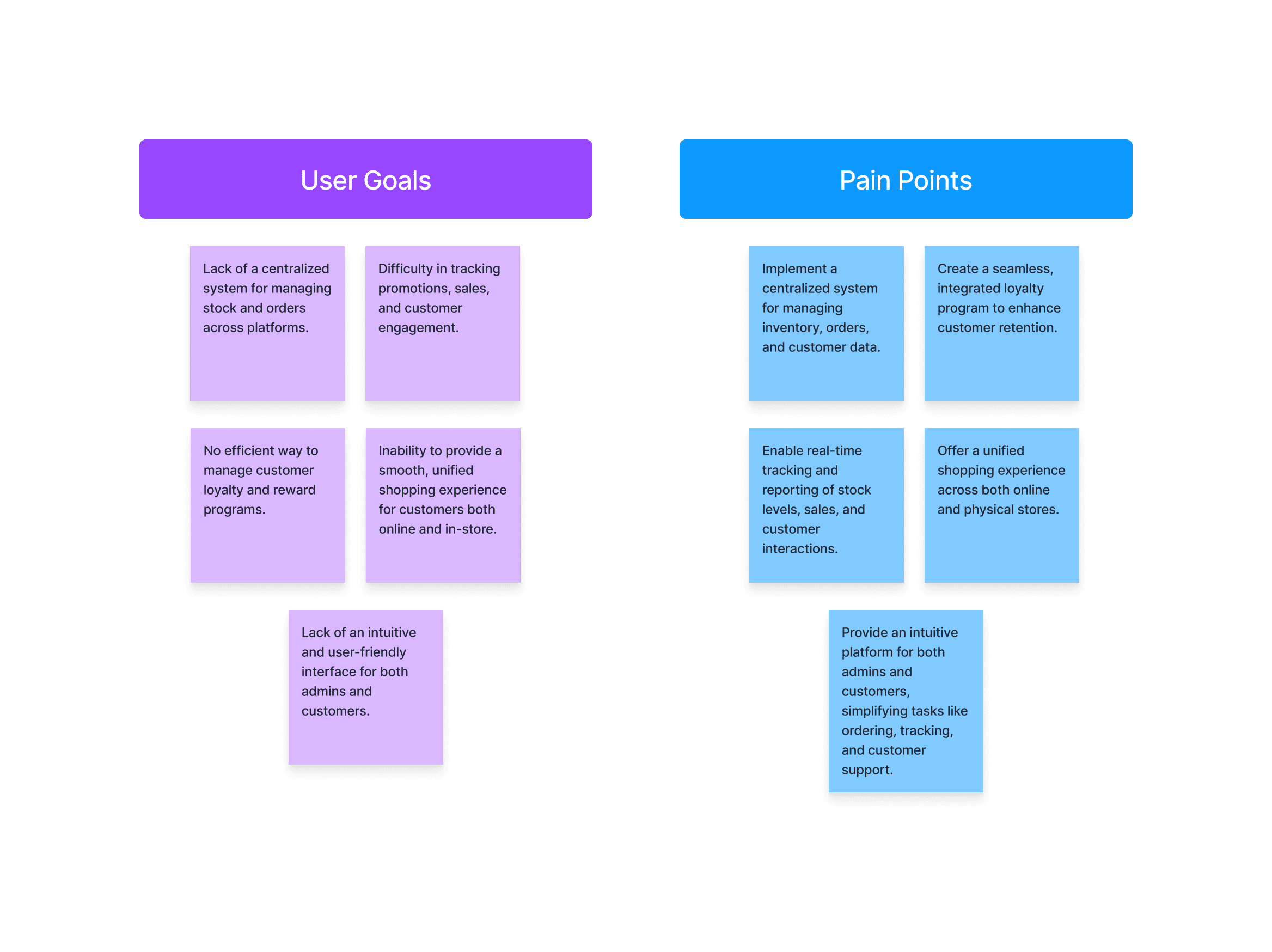
Based on the findings from user research, key pain points and goals were identified, which directly influenced the design direction for the Infinity Mart project.
Feature Roadmap
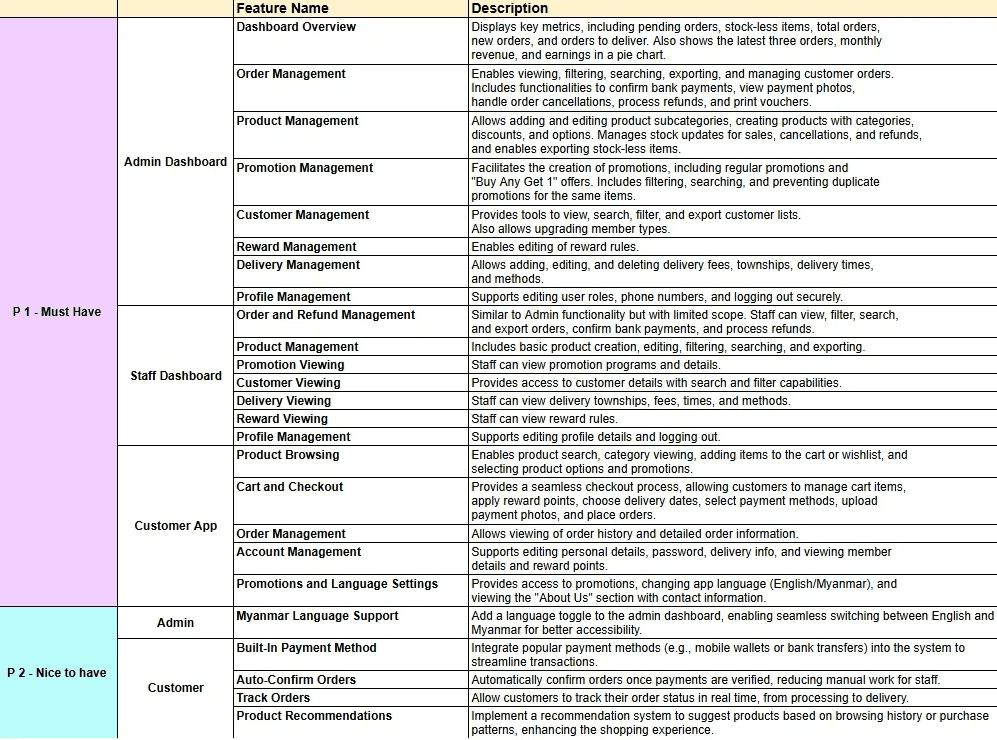
After the first draft of P1 features for the InfinityMart project, I realized the importance of focusing on essential features needed for the MVP. Due to timeline constraints, we decided to deliver the project in two stages. In the first stage, we prioritized must-have features, such as user signup, product search, and cart functionality, while deferring more advanced features to the next phase. This approach ensured we could meet deadlines while providing a functional and user-friendly platform for launch.
Ideation & Wireframing
Brain Storming
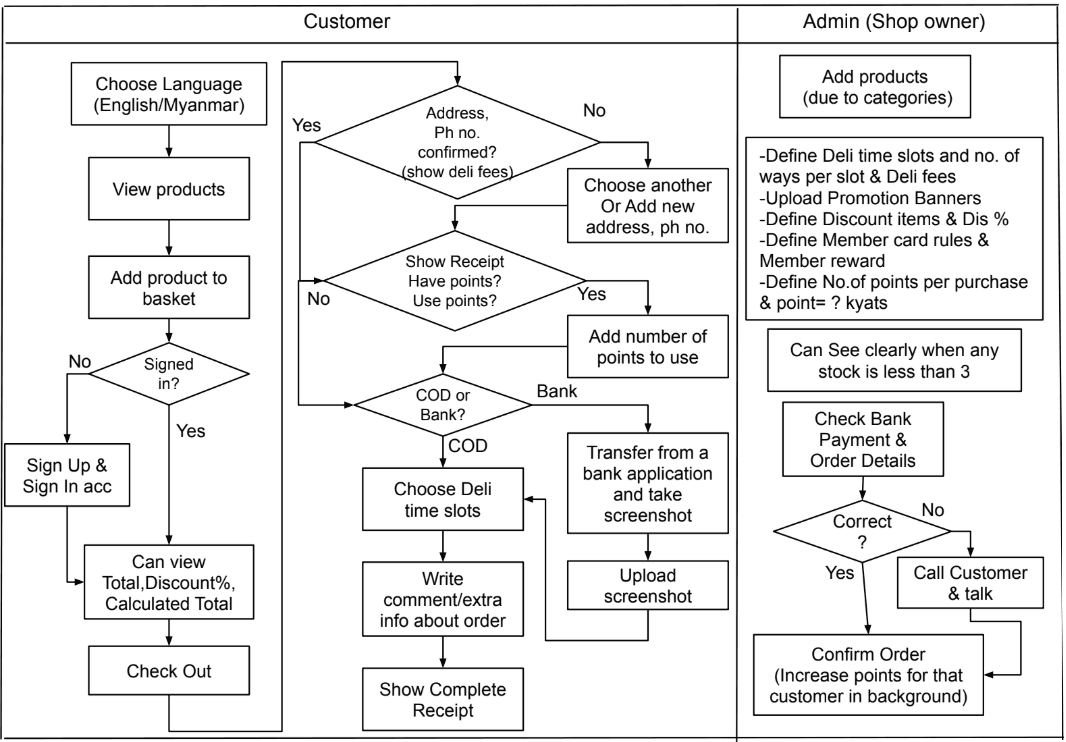
I conducted brainstorming sessions with developers and stakeholders to align on requirements, explore solutions, and ensure the design was feasible and met user needs for the Infinity Mart e-commerce system. The outcome was a draft user flow that guided the project's development.
Information Architecture
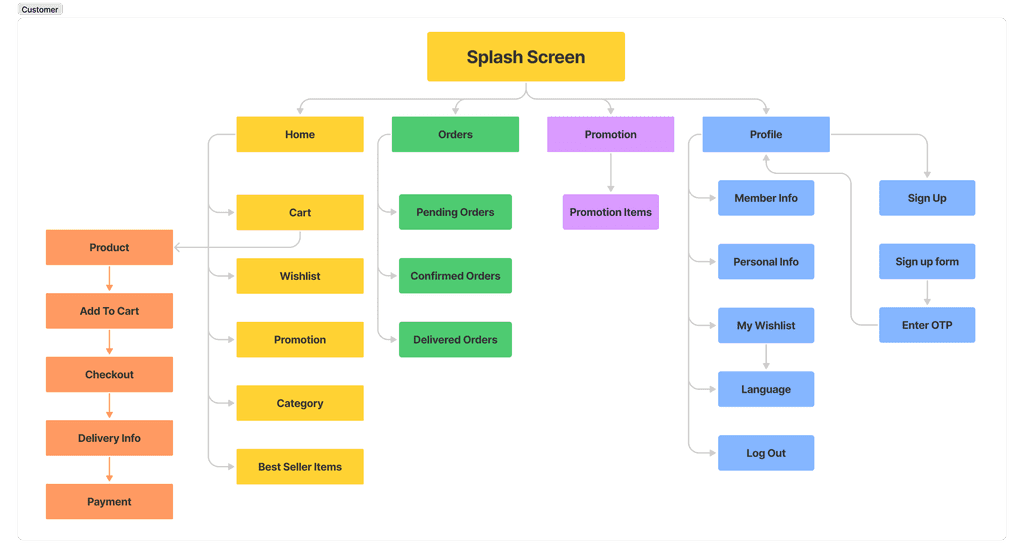
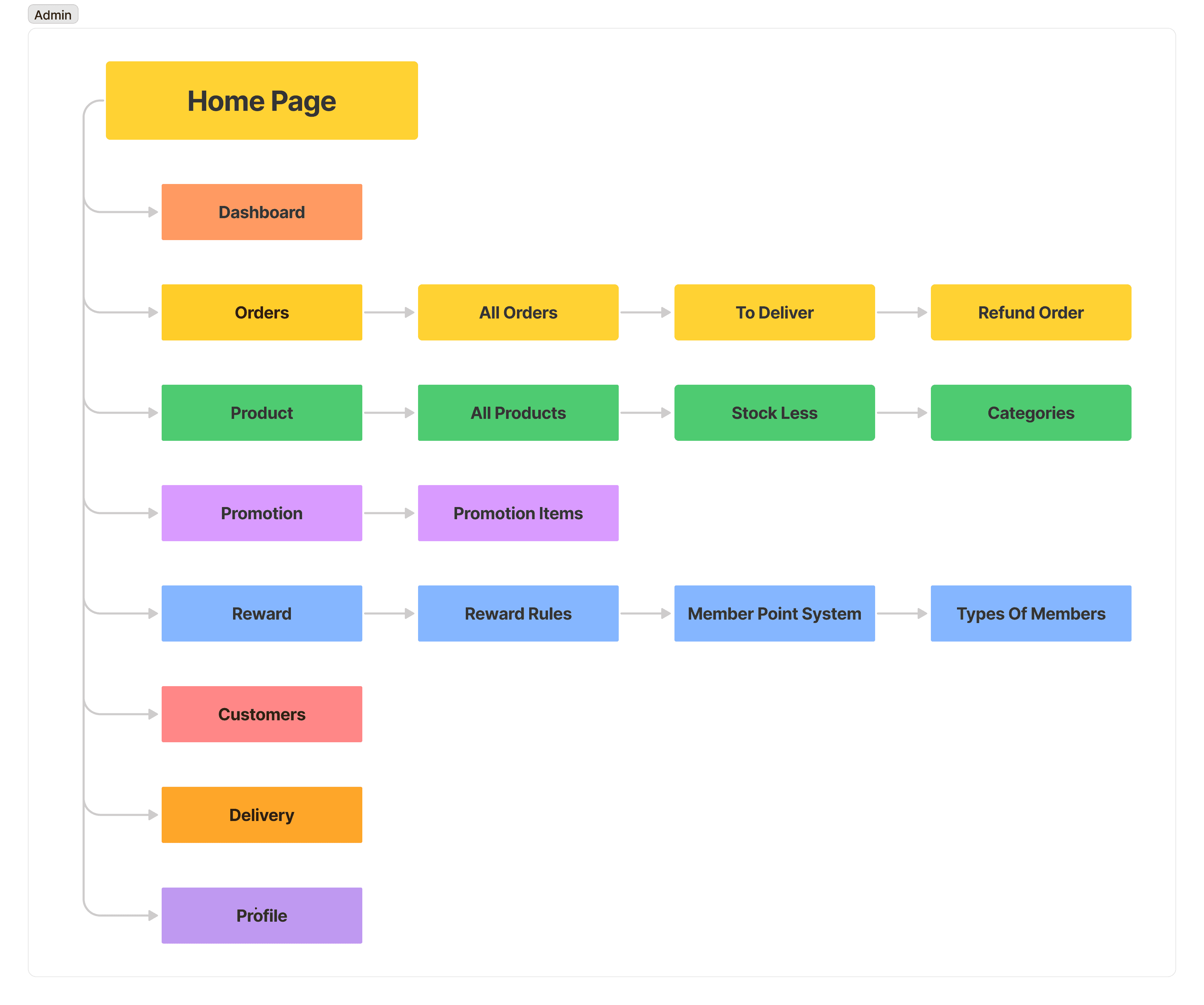
Based on user research, I created two IA structures: one for the customer app focused on browsing, ordering, and account management, and one for the admin dashboard centered on stock management, order tracking, and customer data.
Customer IA Diagram
Admin IA Diagram
User Workflow
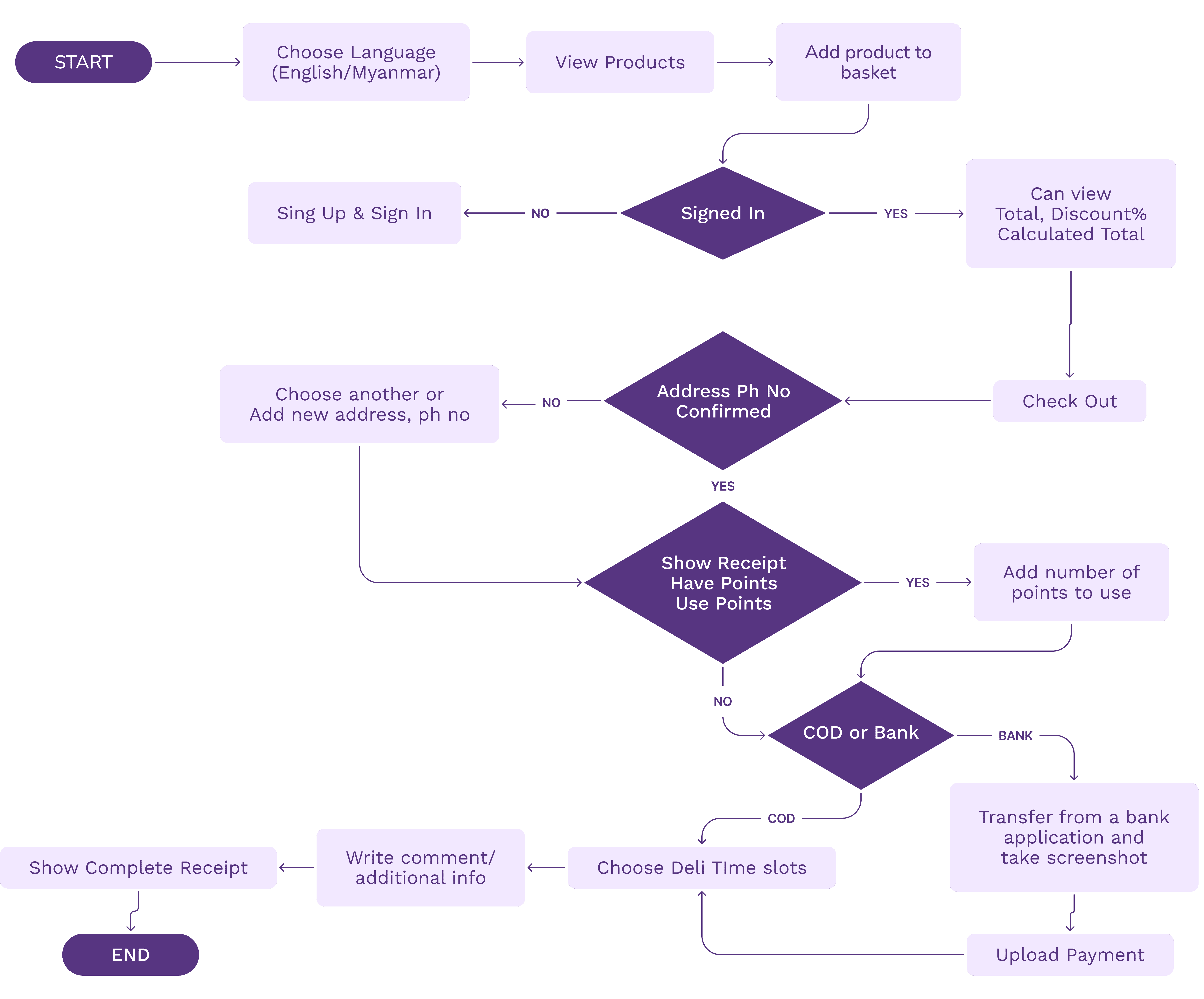
I created user flows for both the customer app and the admin dashboard. Afterward, we reviewed them with the client to gather feedback and refine the flow based on their input.
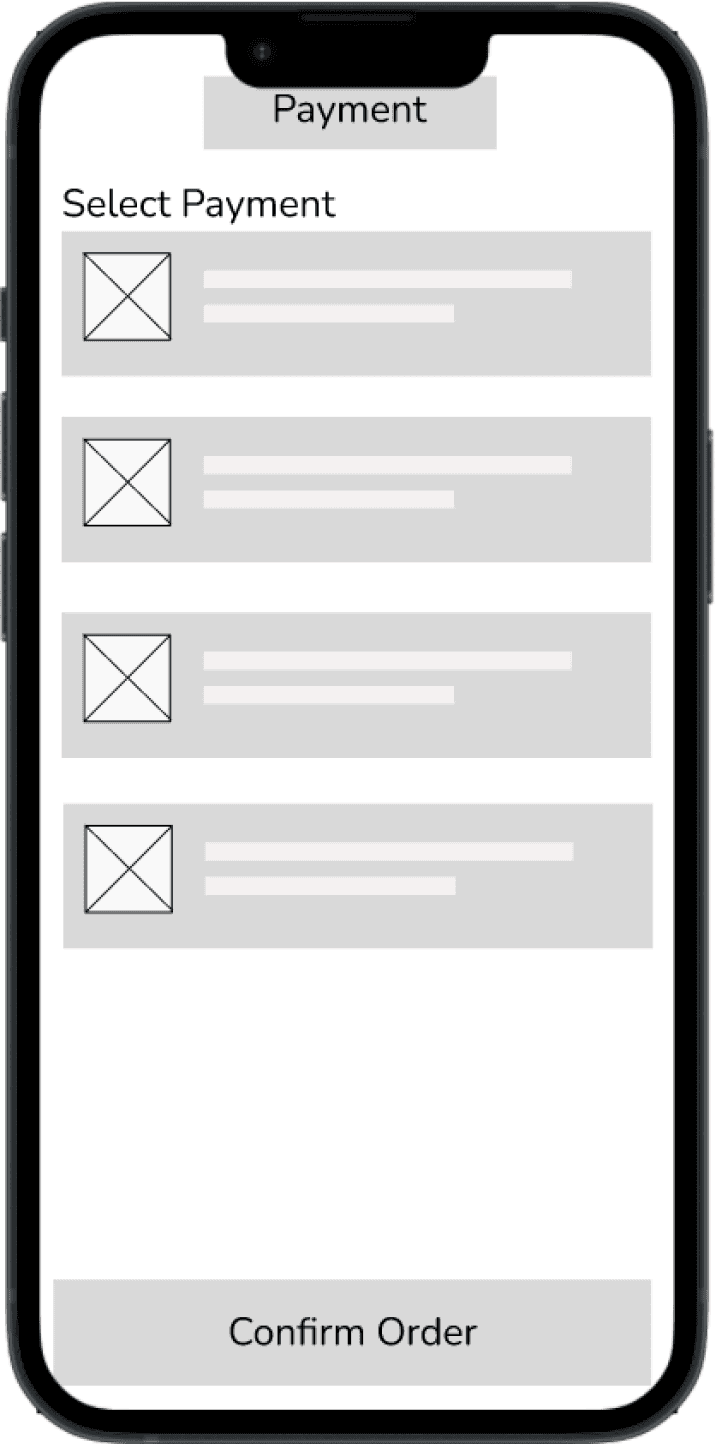
Wireframes
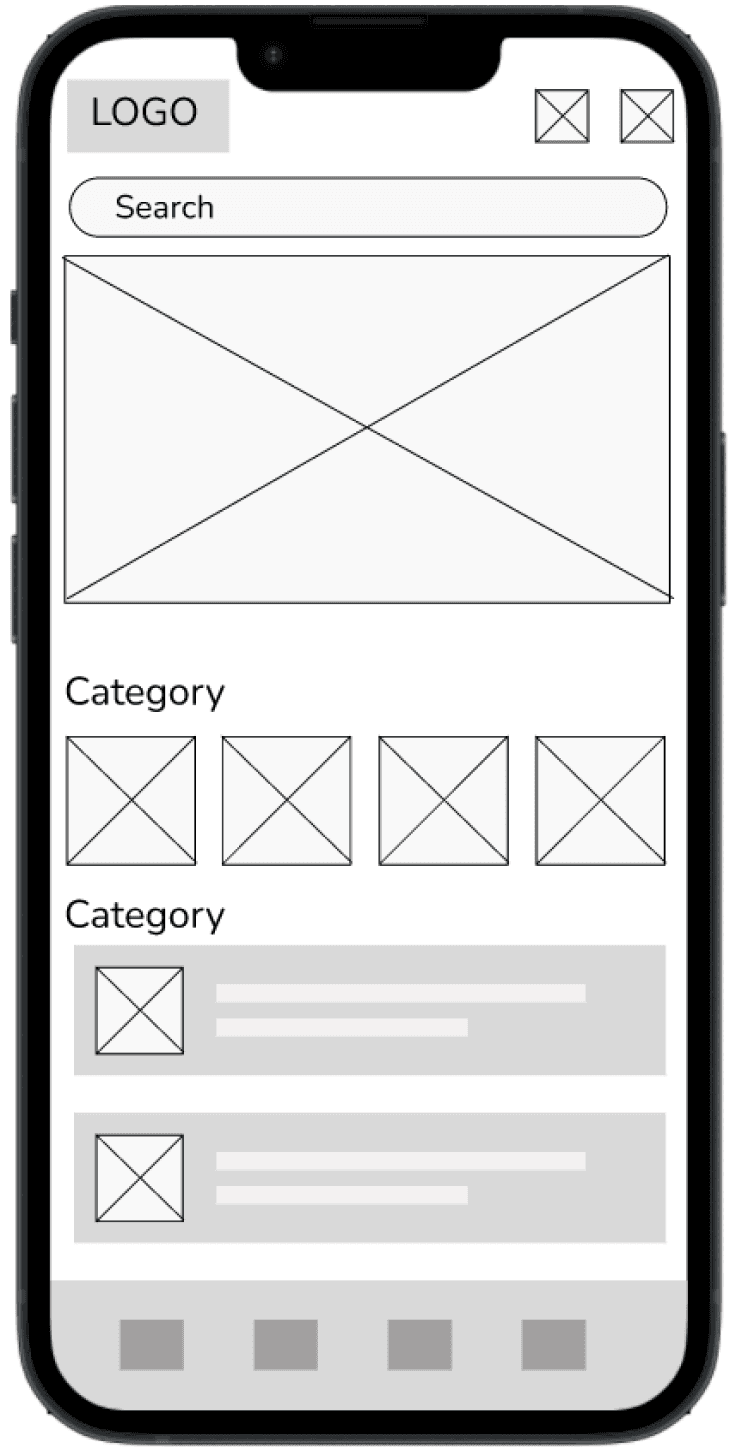
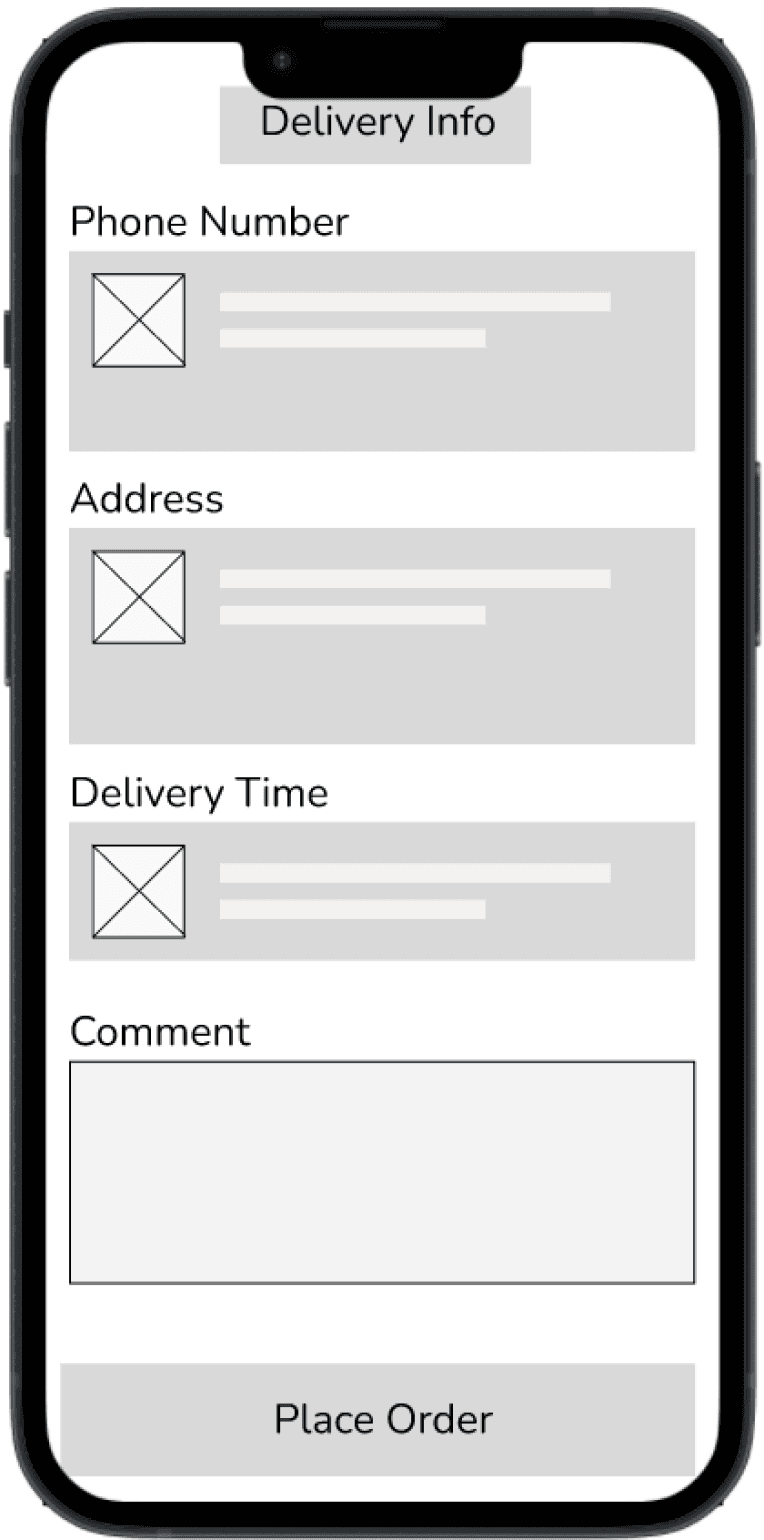
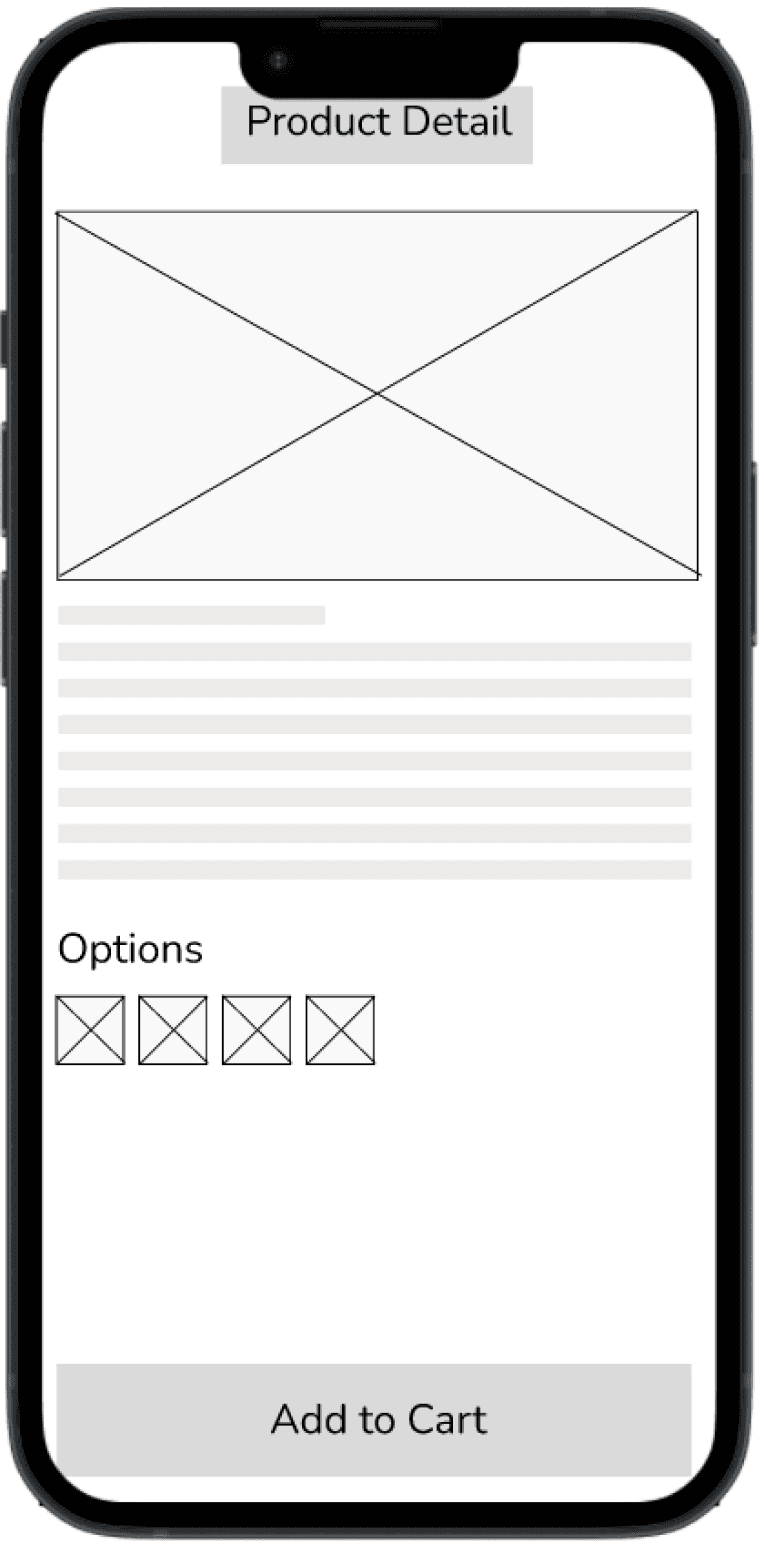
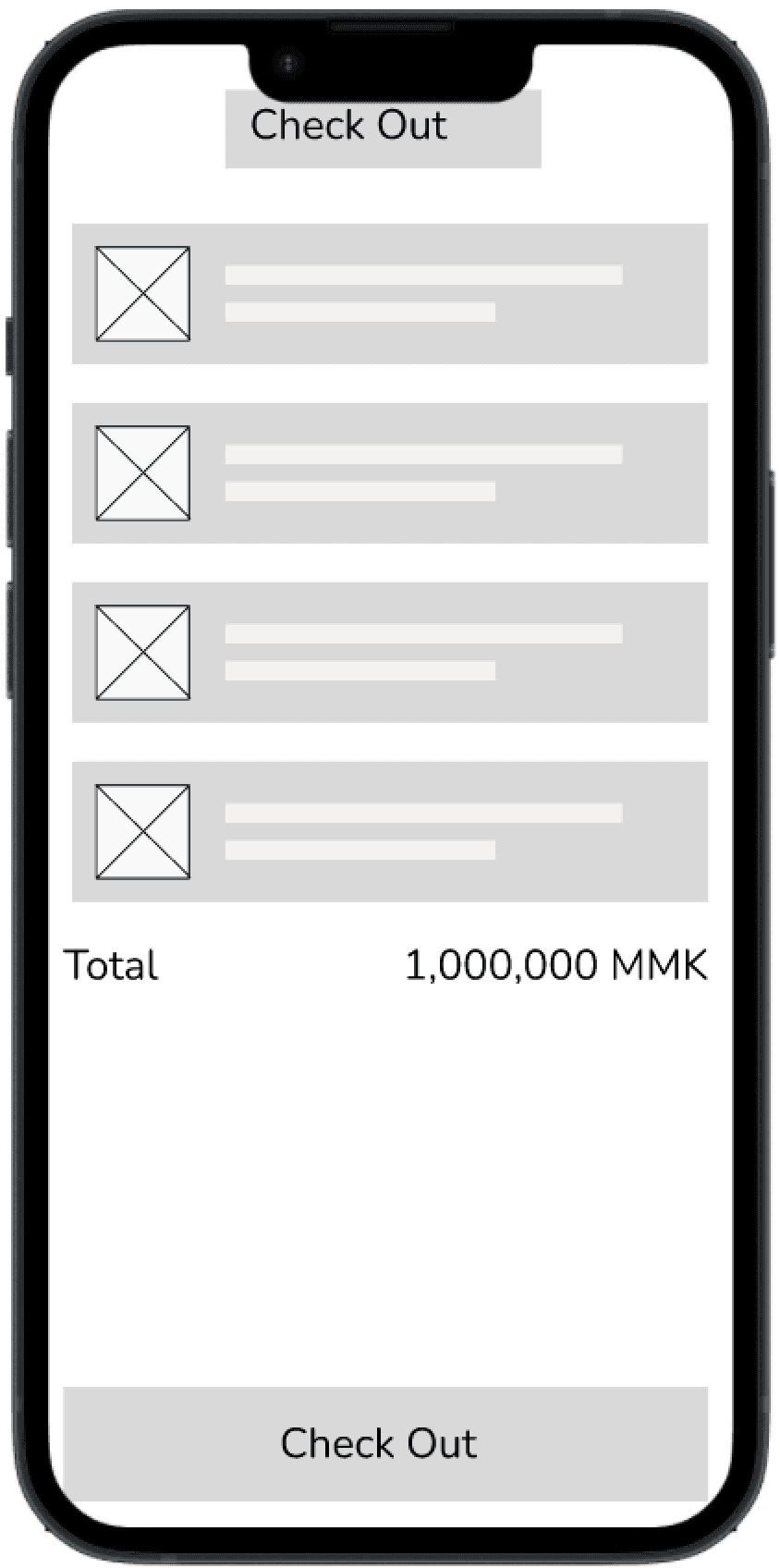
Design & Usability Testing
Design System ✨
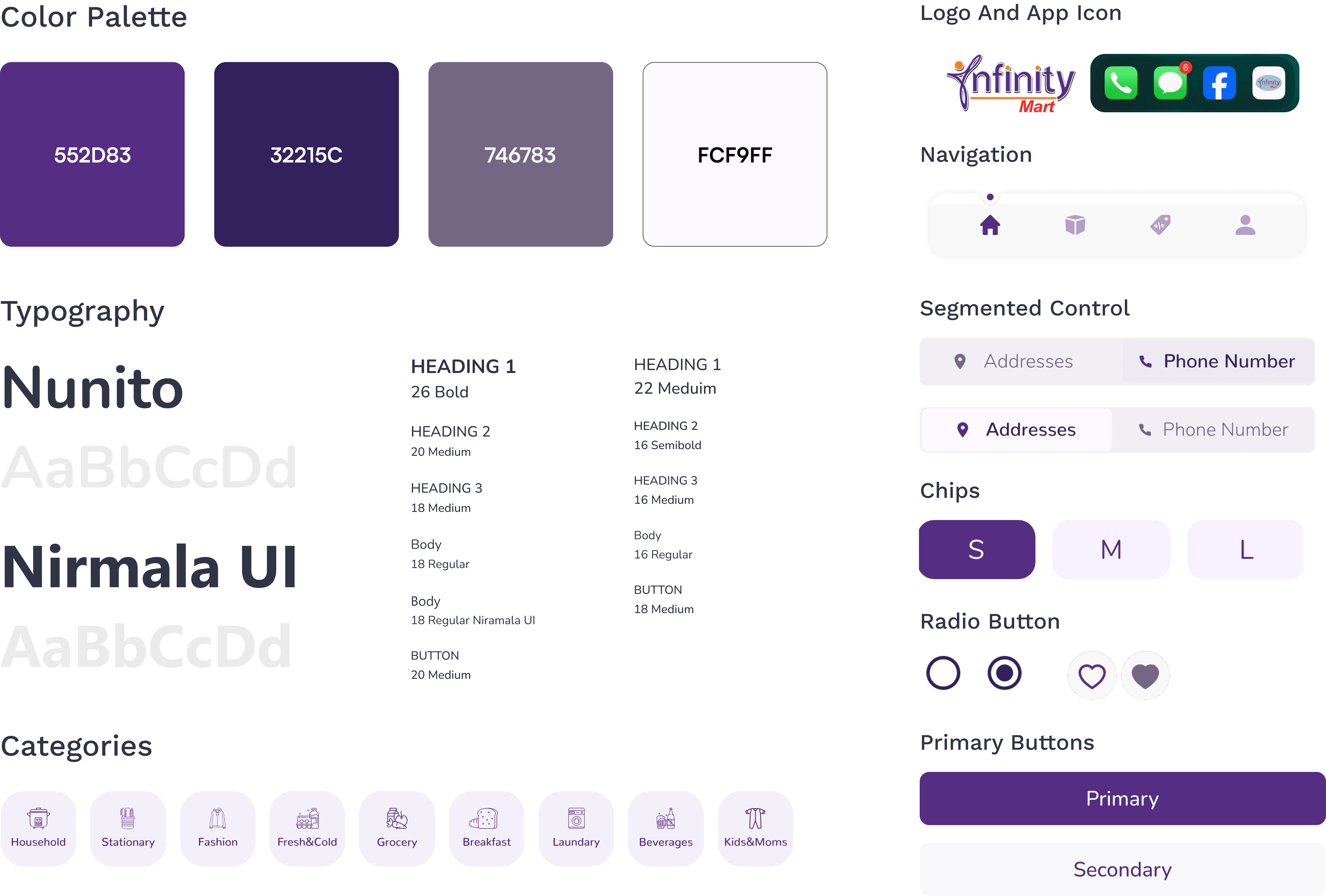
I followed Infinity Mart’s brand guidelines to ensure consistency with their identity. The colors reflect the brand’s values of trust and professionalism, creating a modern, welcoming atmosphere. I also developed a design system to maintain consistency across all screens and improve the user experience.
Hi-Fidelity Prototype
Customer Mobile Application
I used components and variants to build the prototype efficiently, ensuring consistency across screens.
Transitions were kept simple, with a ripple effect on the splash screen to create a dynamic start. The focus was on maintaining a smooth, intuitive flow.
Due to time constraints, I tested with stakeholders instead of end users, gathering feedback to make improvements before proceeding with the design.

Admin Dashboard
A centralized platform for managing inventory, tracking orders, monitoring sales, setting up promotions, and customizing the point system, offering real-time insights to streamline operations and enhance customer engagement.

Key Features
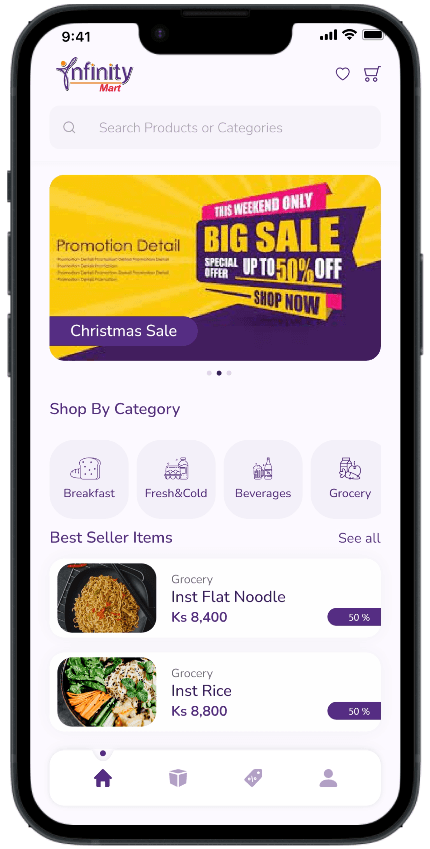
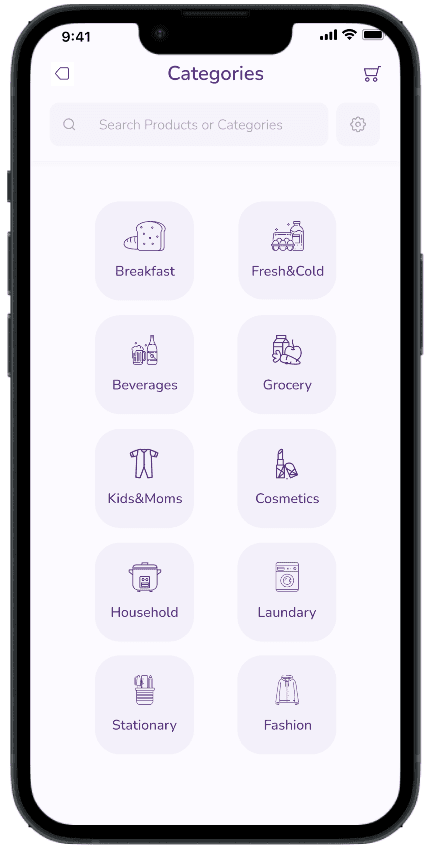
Product Browsing
Pain Points
Users struggled to find desired products due to limited categorization and filtering options.
Promotions were not prominently displayed, reducing visibility and engagement.
Lack of a wishlist feature made it difficult for users to save and revisit products.
Solutions
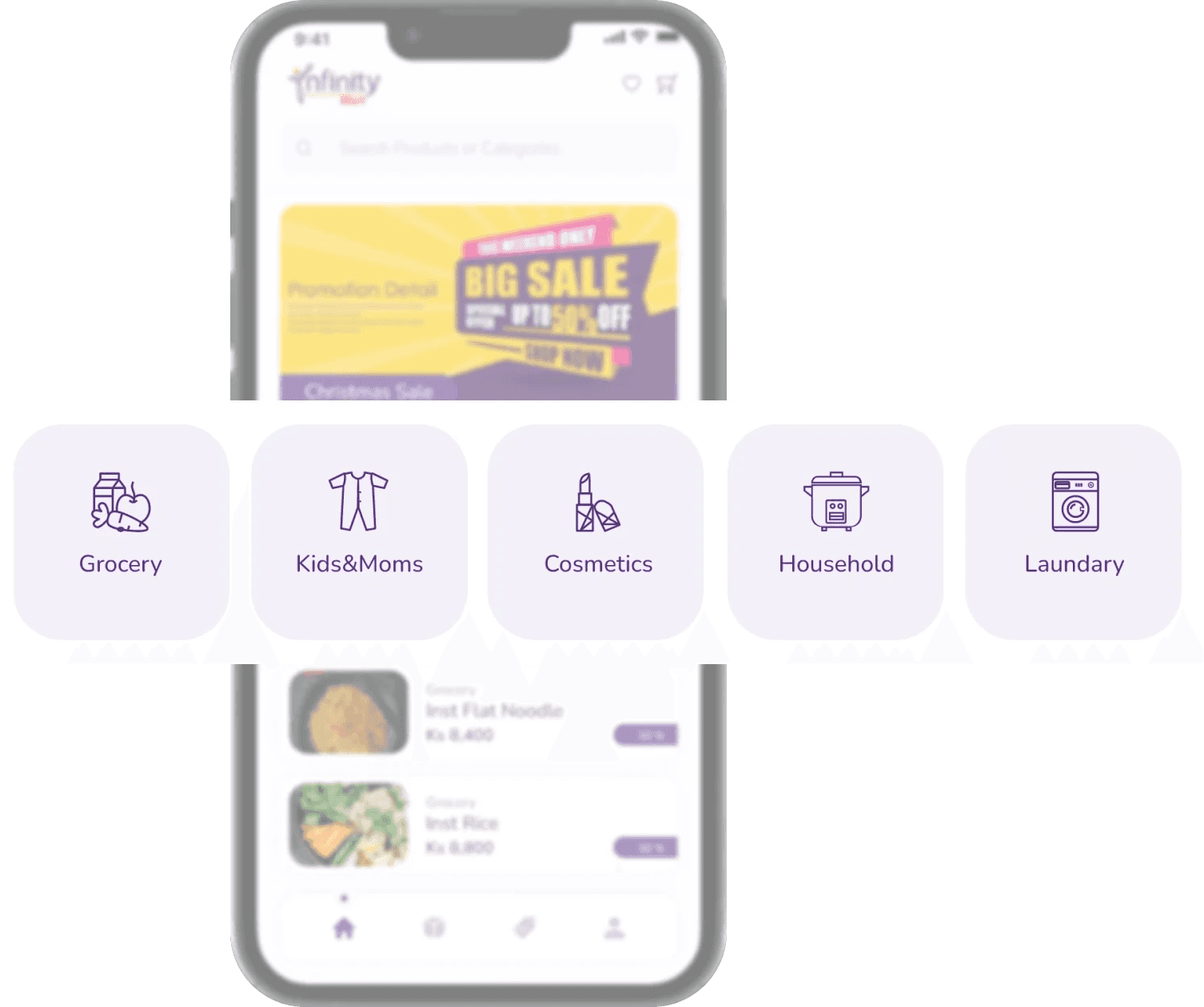
Implemented product categorization for better organization and easier navigation.
Introduced a wishlist feature, enabling users to save and revisit products they are interested in.
Enhanced filtering and search functionality to improve accuracy and ease of use.
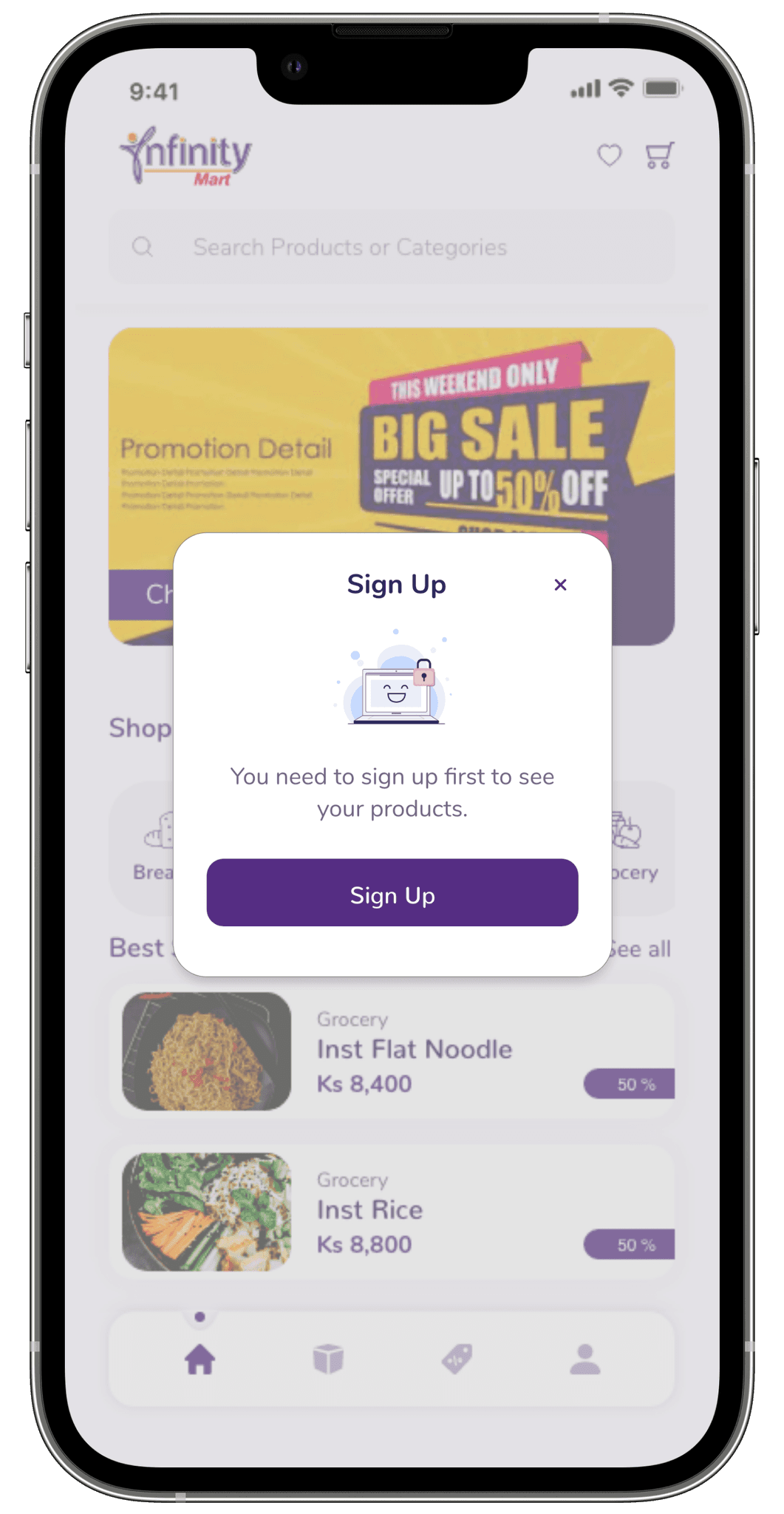
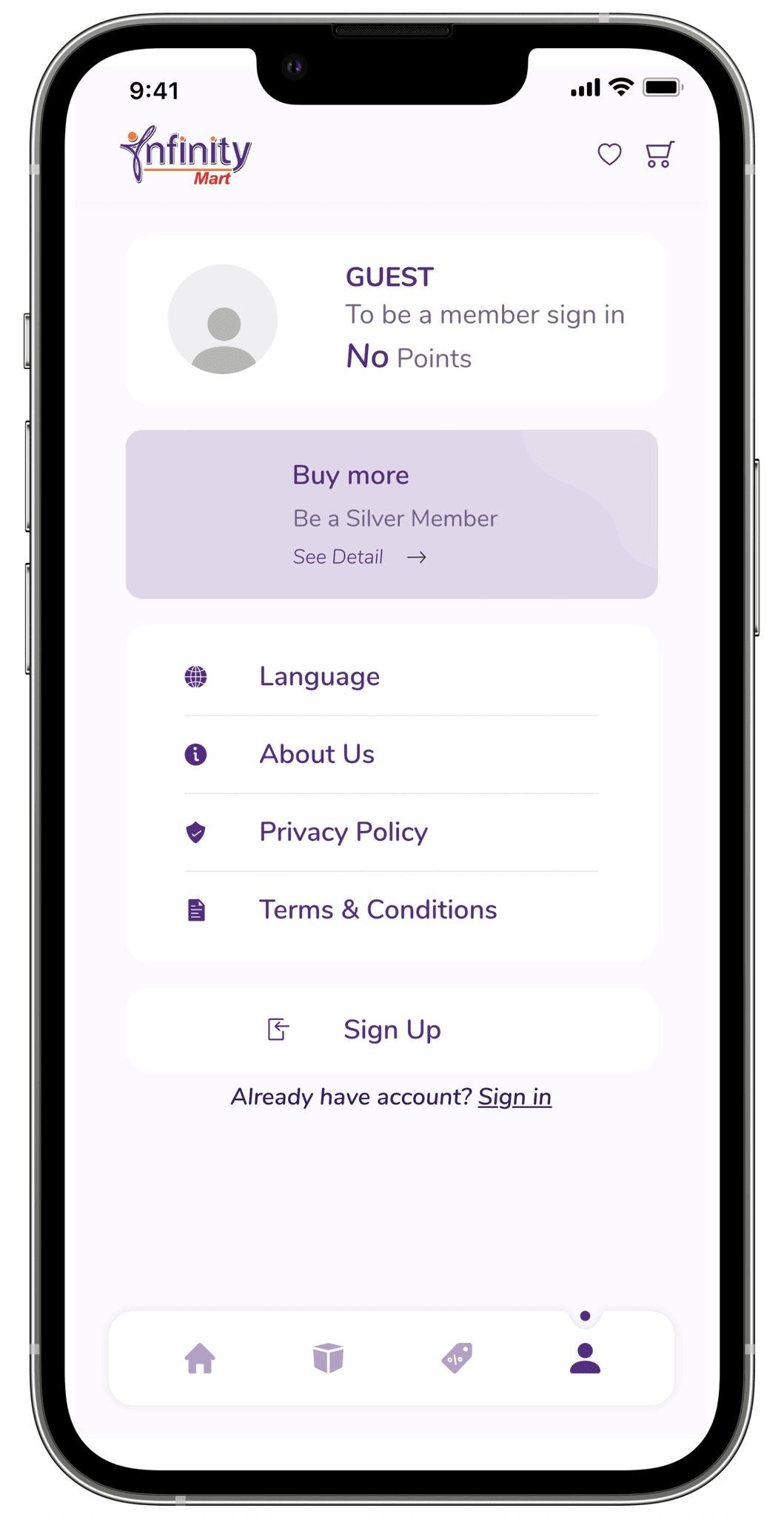
Guest Product Browsing
Pain Points
Users were initially required to sign up before browsing, creating unnecessary friction in the user experience.
Apple Store guidelines discouraged mandatory sign-ups for basic app access.
Solutions
Allowed users to browse without signing in, following Apple Store guidelines.
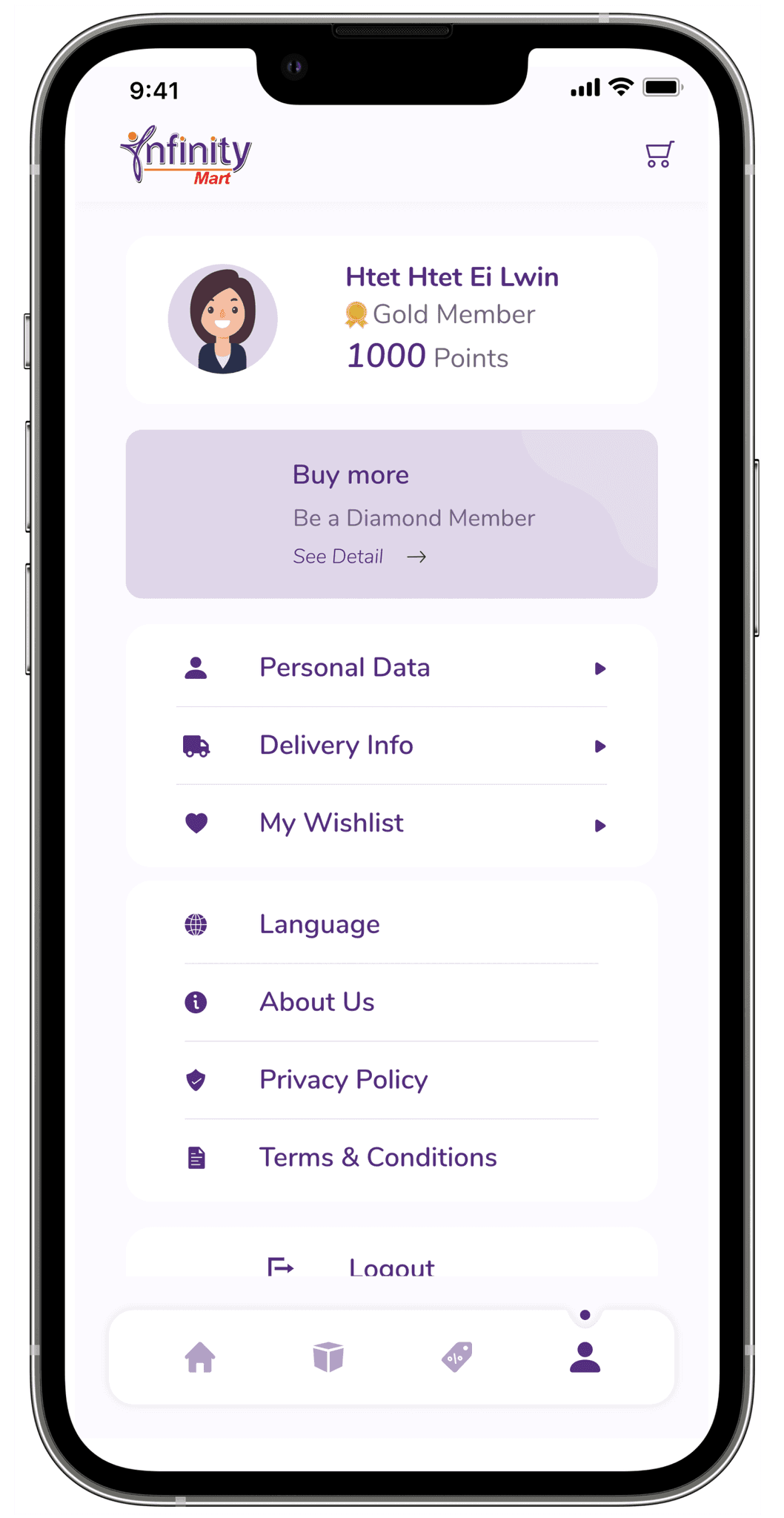
Introduced two profiles: guest and member.
Sign-up is only required for advanced features, such as making purchases or saving items.
Users are seamlessly upgraded to member status upon signing up, unlocking additional functionalities.
Product Variation
Pain Points
Managing multiple variations (e.g., size, color) with unique pricing and inventory was complex.
Tier-based pricing added difficulty to maintaining accurate configurations.
The system lacked efficiency, making variation management time-consuming and error-prone.
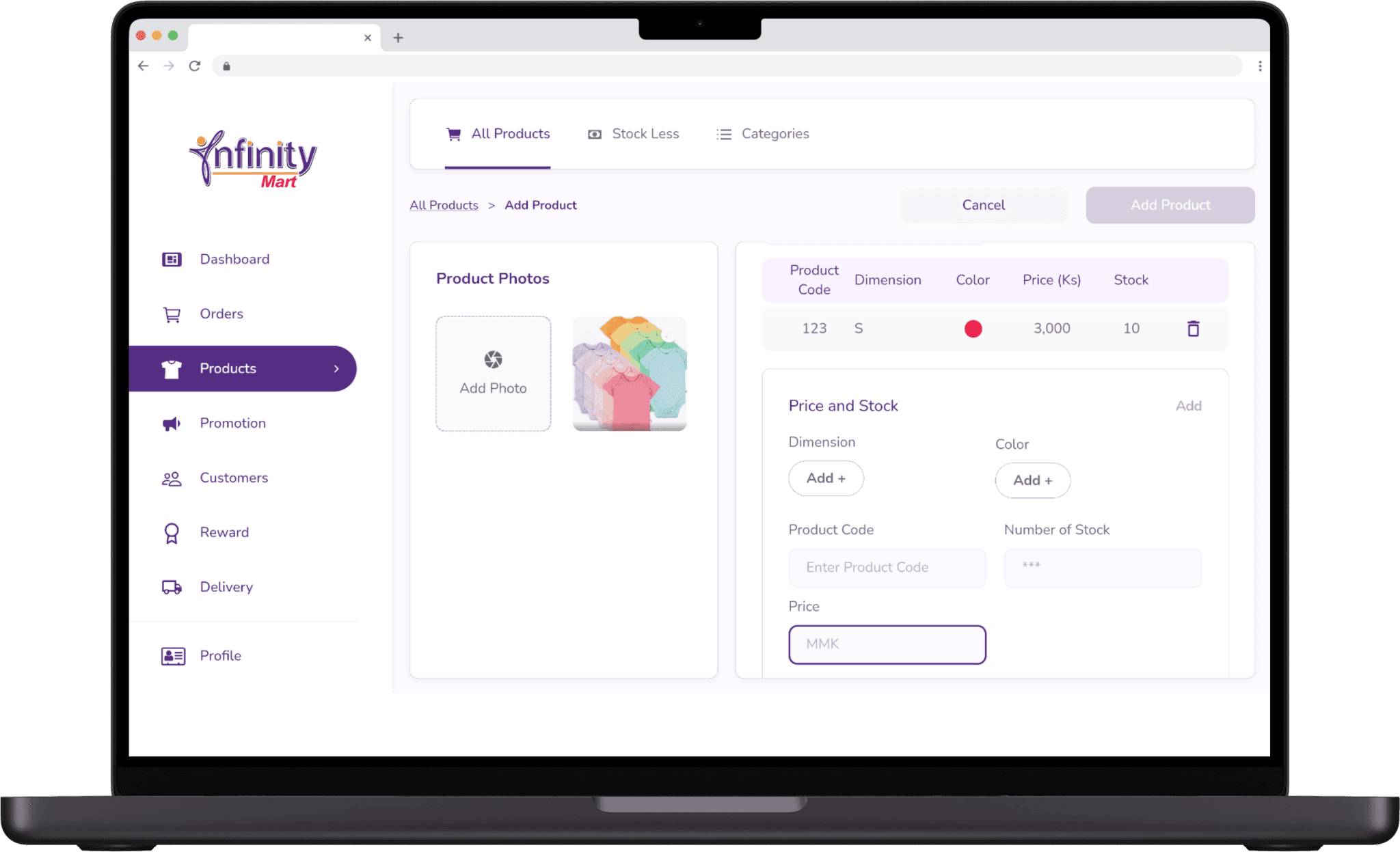
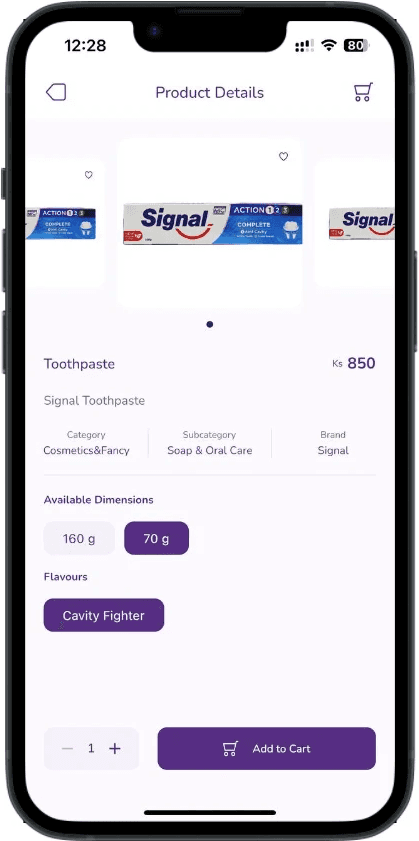
Designed a structure for managing product variations like size and color.
Predefined variation categories and types for easy selection during product creation.
Enabled tier-specific pricing for different user groups.
Streamlined variation and pricing management for admins with a table view for better usability.
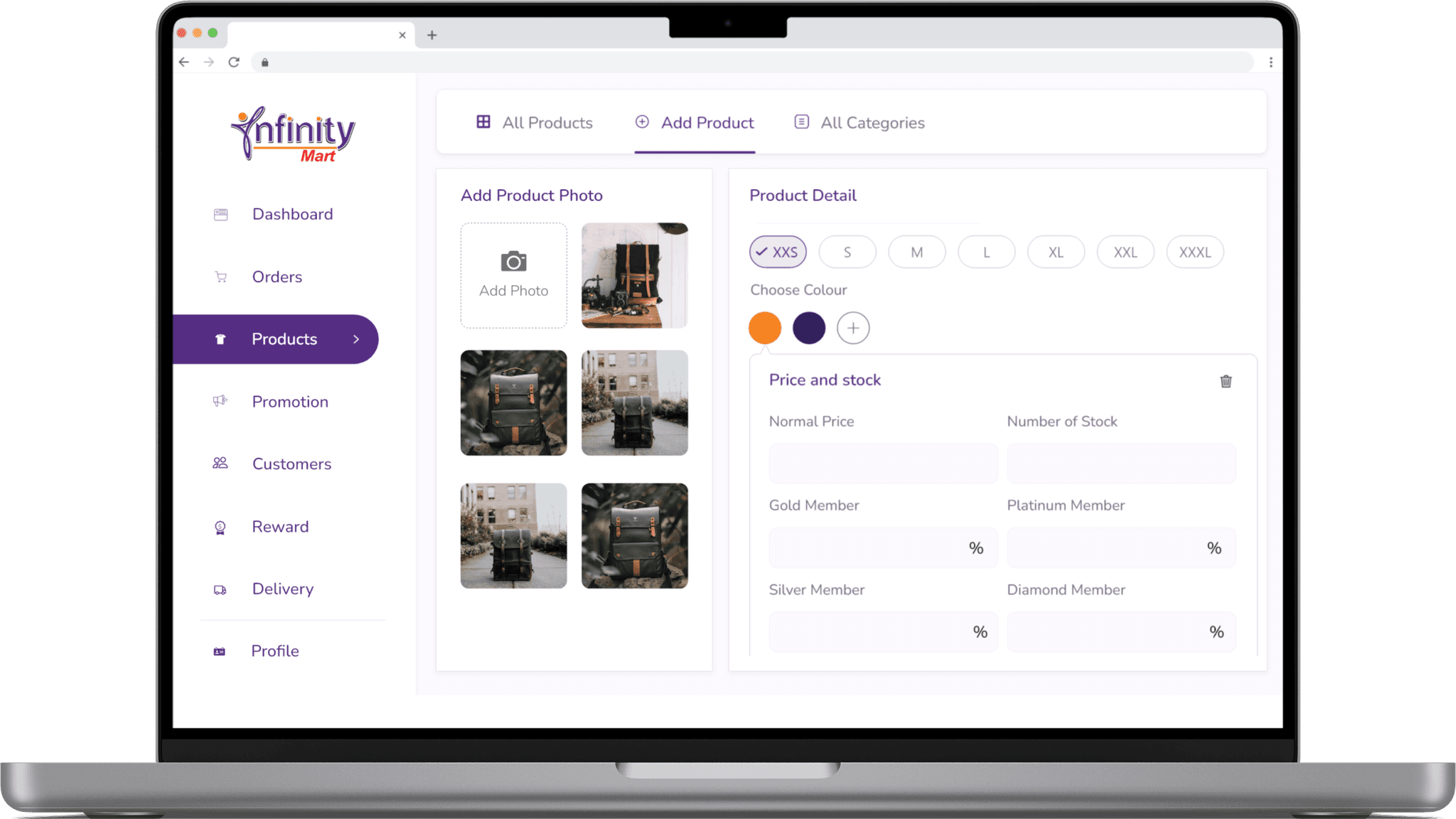
I had to amend the design due to technical limitations and to enhance usability, ensuring a smoother experience for both admins and users.
Implemented a table view for easier product variation management.
Streamlined the process with quick input of attributes like stock and pricing.
Designed an intuitive interface for users to easily select variations like size and color during shopping.
Promotion
Pain Points
Visibility Issues: Users couldn’t easily spot promotions, leading to lower engagement.
Lack of Centralized Access: Users found it difficult to browse all promotions in one place.
Complex Setup for Admins: Admins lacked the tools to create diverse promotions or manage their timing and visibility effectively.
Solutions
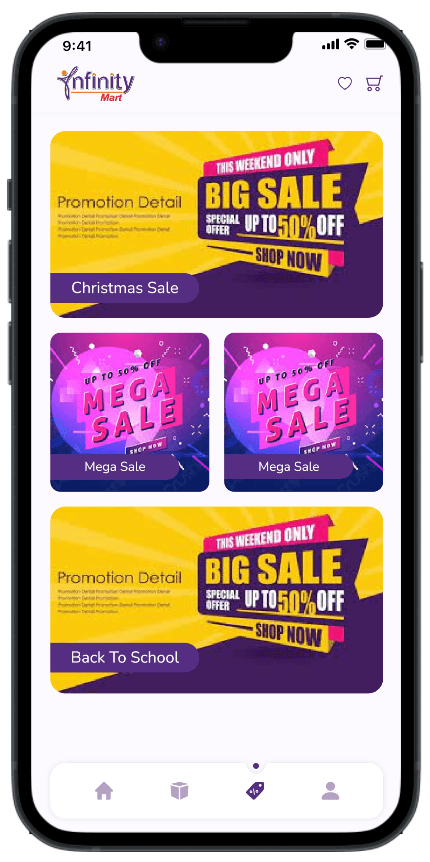
Designed a prominent promotion banner on the app’s homepage for instant visibility.
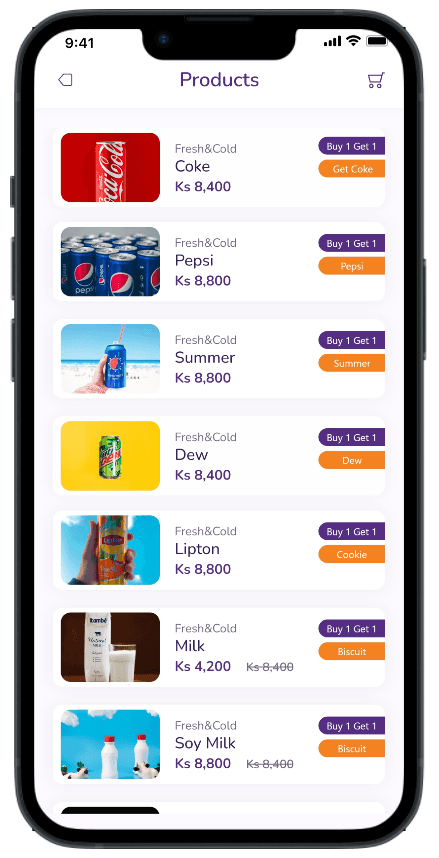
Allowed users to click the banner to view all products under a promotion.
Added a dedicated menu for users to browse all active promotions in one place.
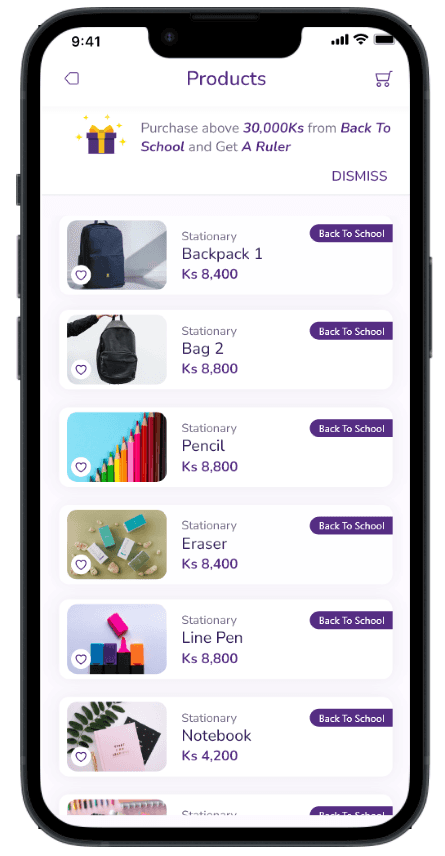
Solutions
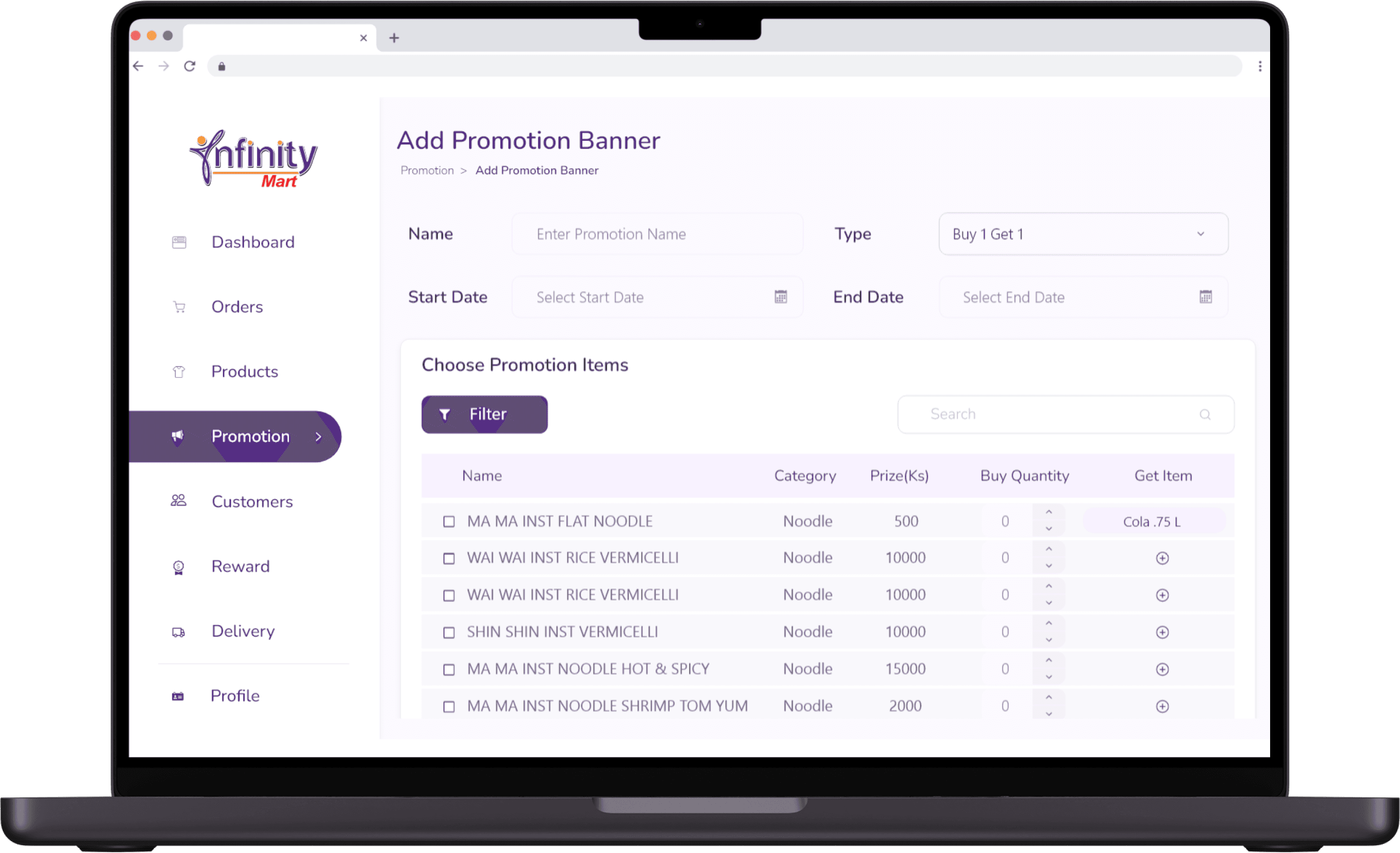
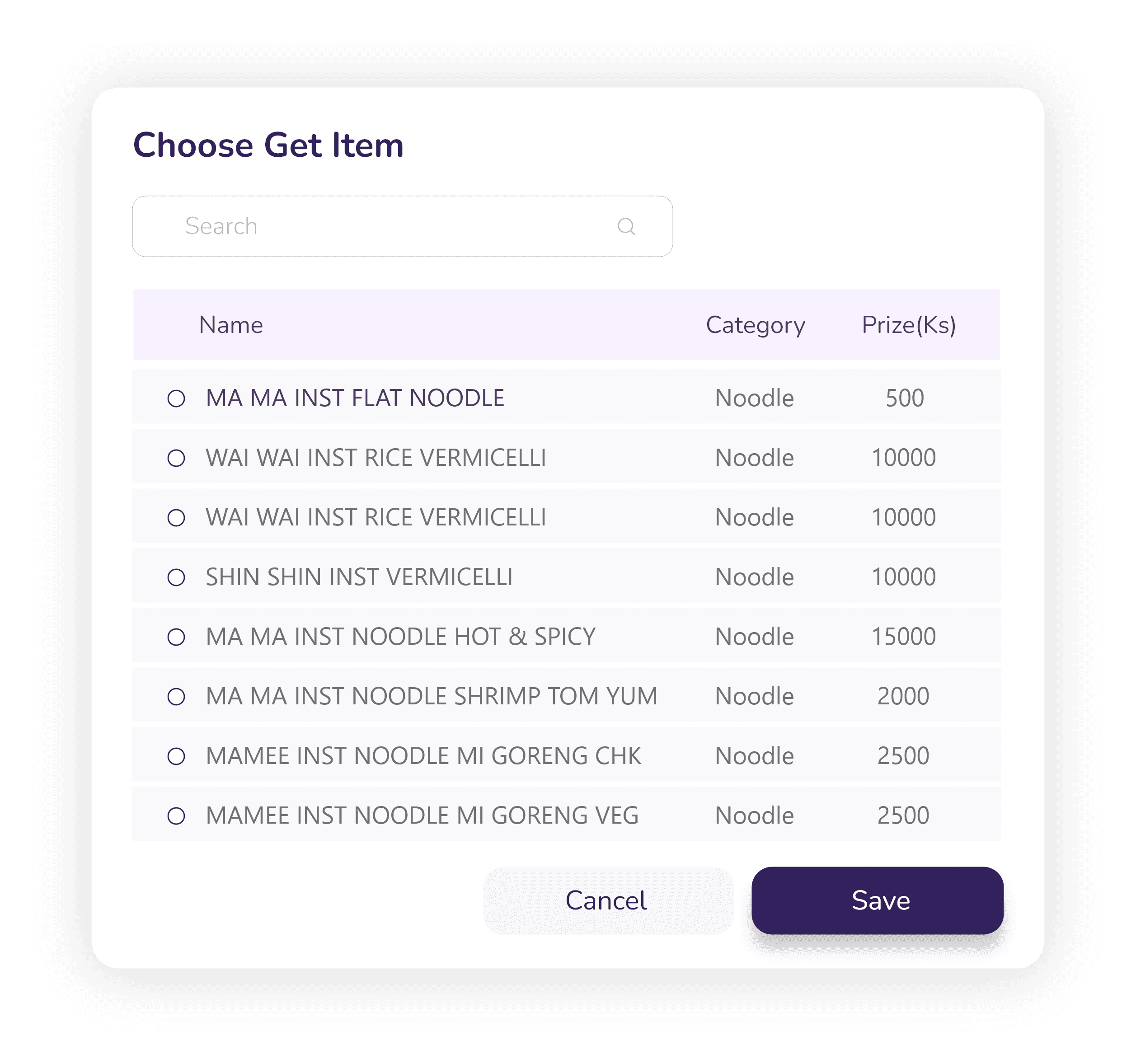
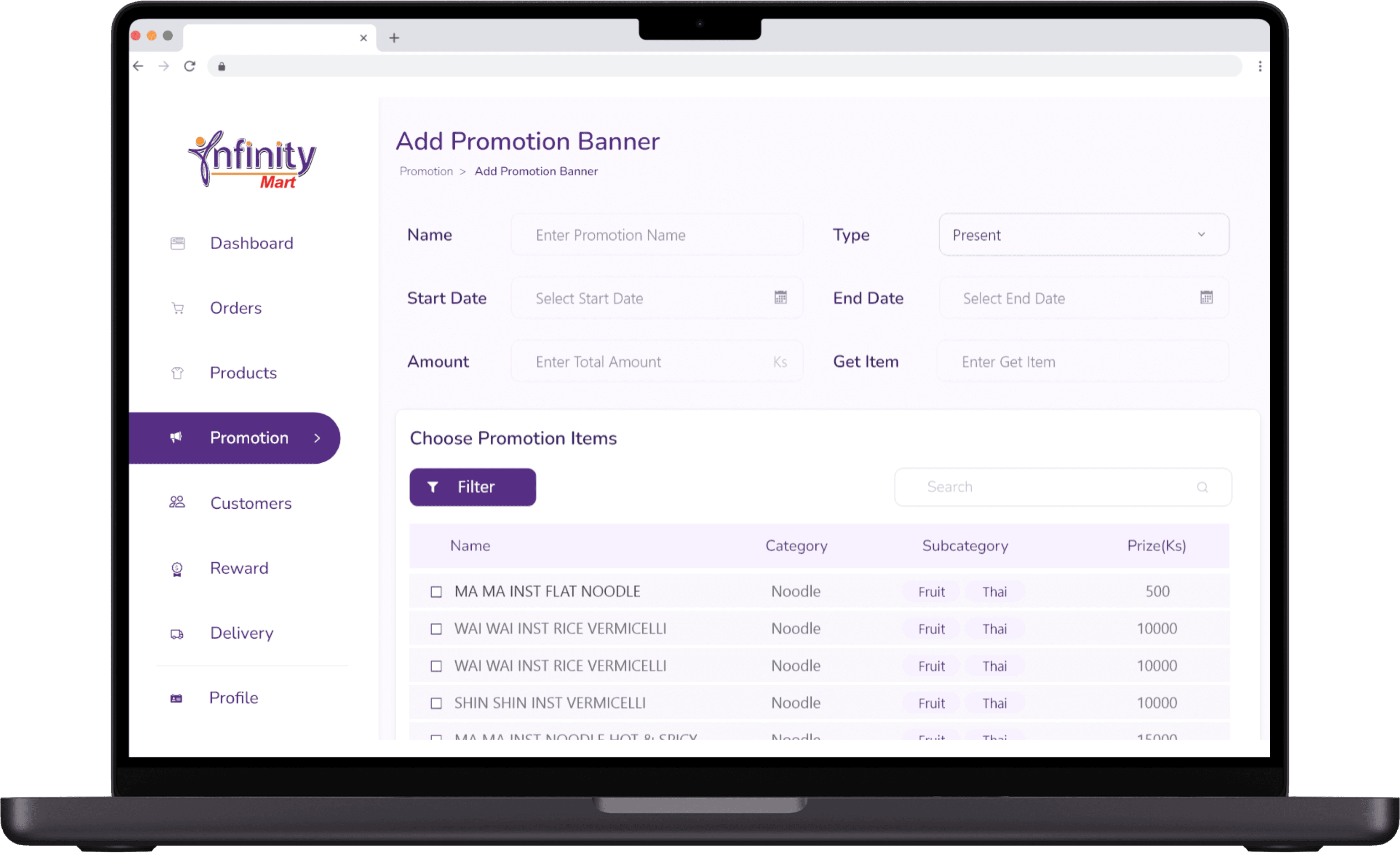
Built a customizable admin panel for creating promotions like Buy One Get One Free, discounts, and gift-based offers.
Enabled admins to upload promotion banners and set timeframes for each promotion.
Simplified promotion management, ensuring admins could handle campaigns efficiently and flexibly.
Language Settings
Pain Points
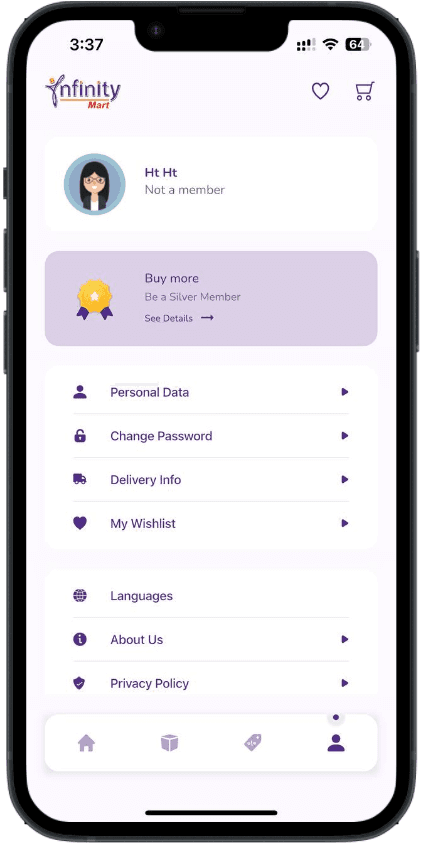
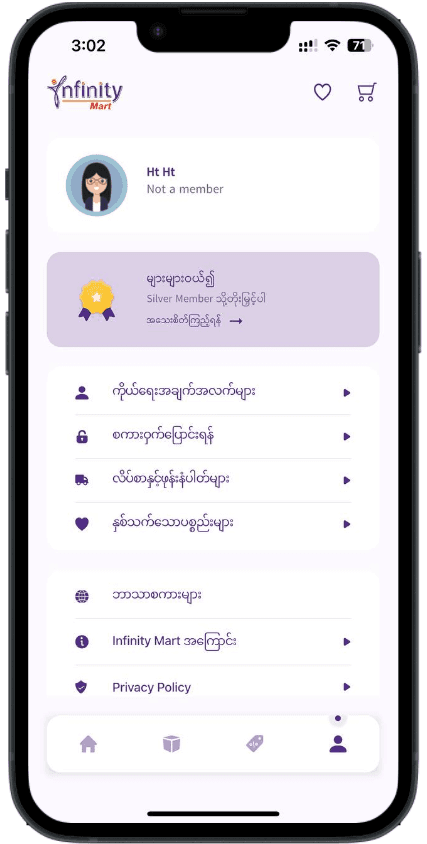
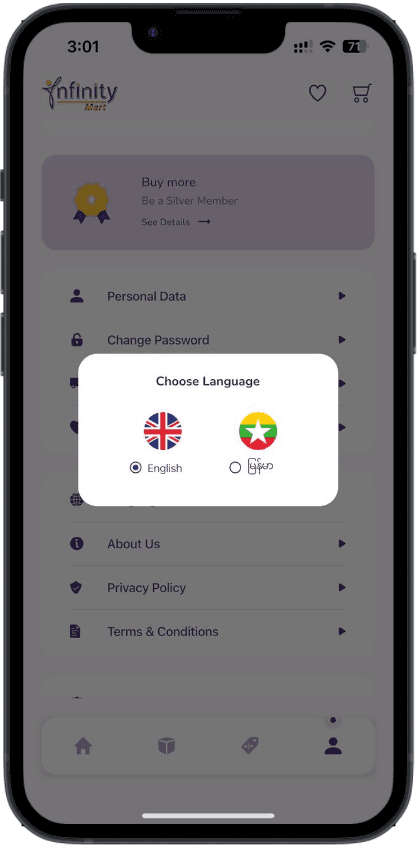
Language barriers could hinder effective app usage, for users who may not be fluent in English.
Solutions
Added English and Myanmar language support for the mobile app.
Planned Myanmar language for the admin panel in version 2.
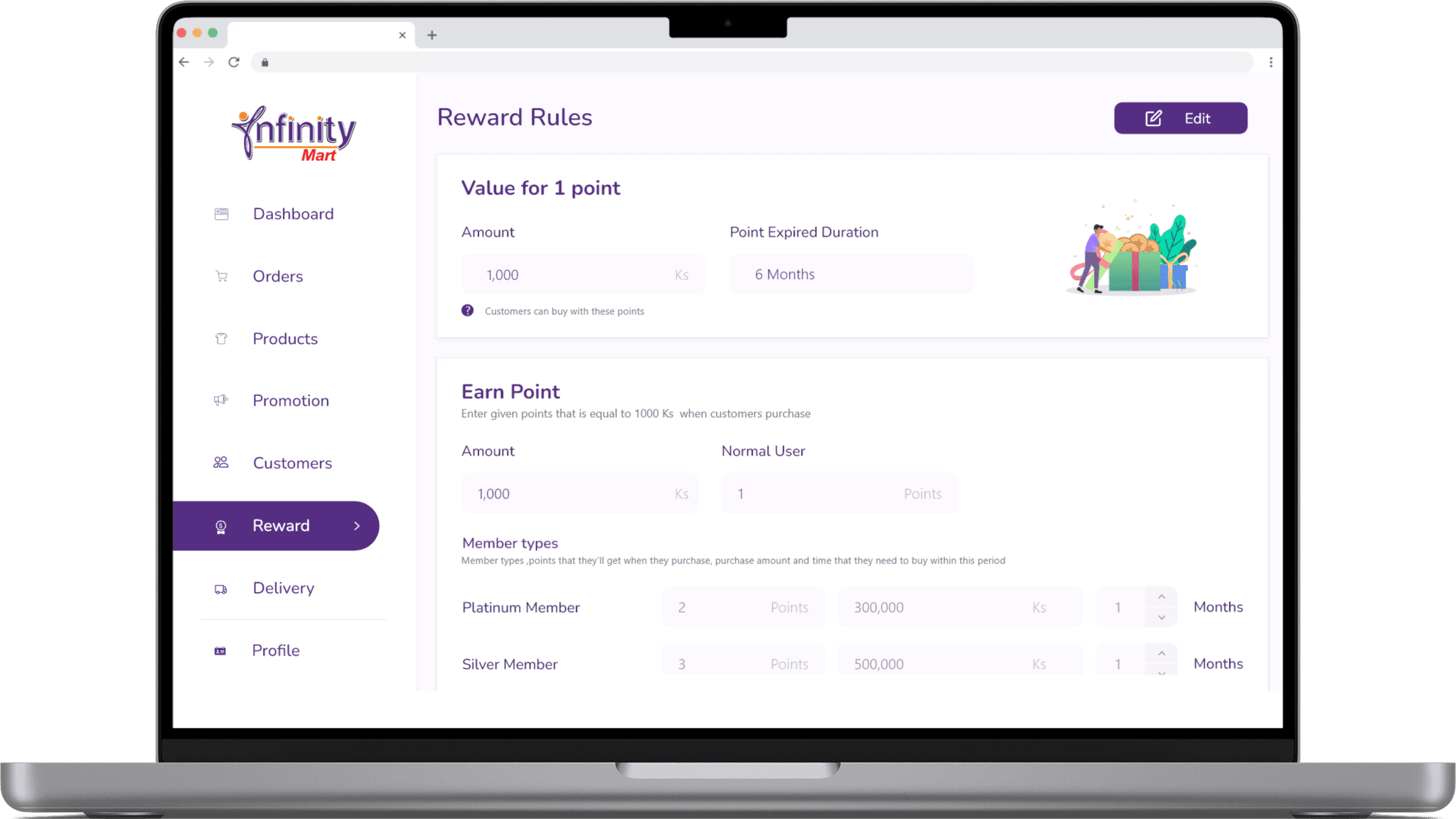
Reward System
Pain Points
The client required a user tier system with varying point rates.
Higher-tier users needed to earn more points per purchase.
Managing these variations across tiers was a key challenge.
Solutions
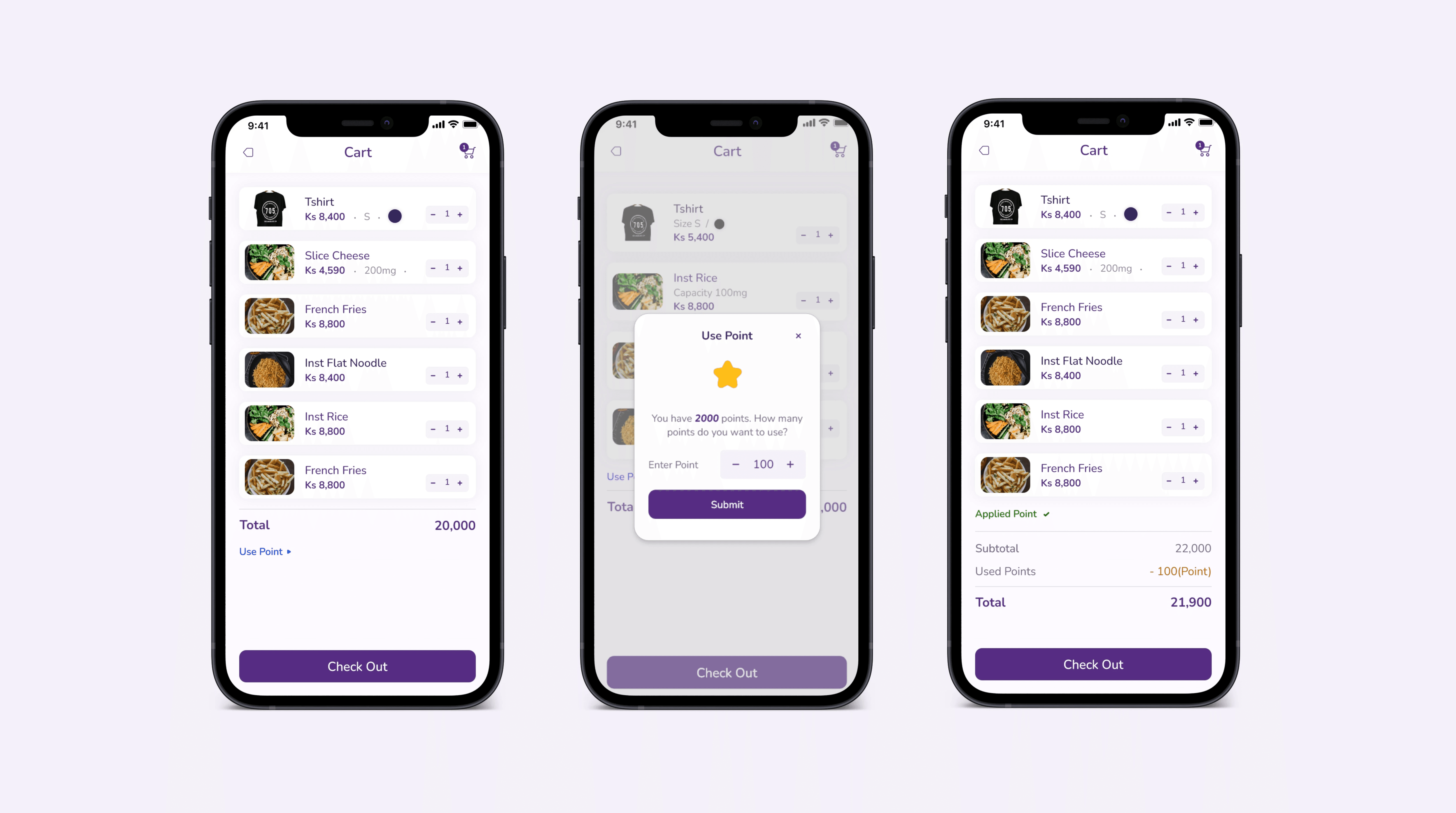
Enabled customers to choose whether to use points and specify the amount they wish to redeem directly within the app.
Solutions
Designed a customizable points and discount system in the admin panel, allowing flexible configurations for each user tier.
Enabled admins to set membership rules, ensuring tailored experiences for different user groups.
Membership
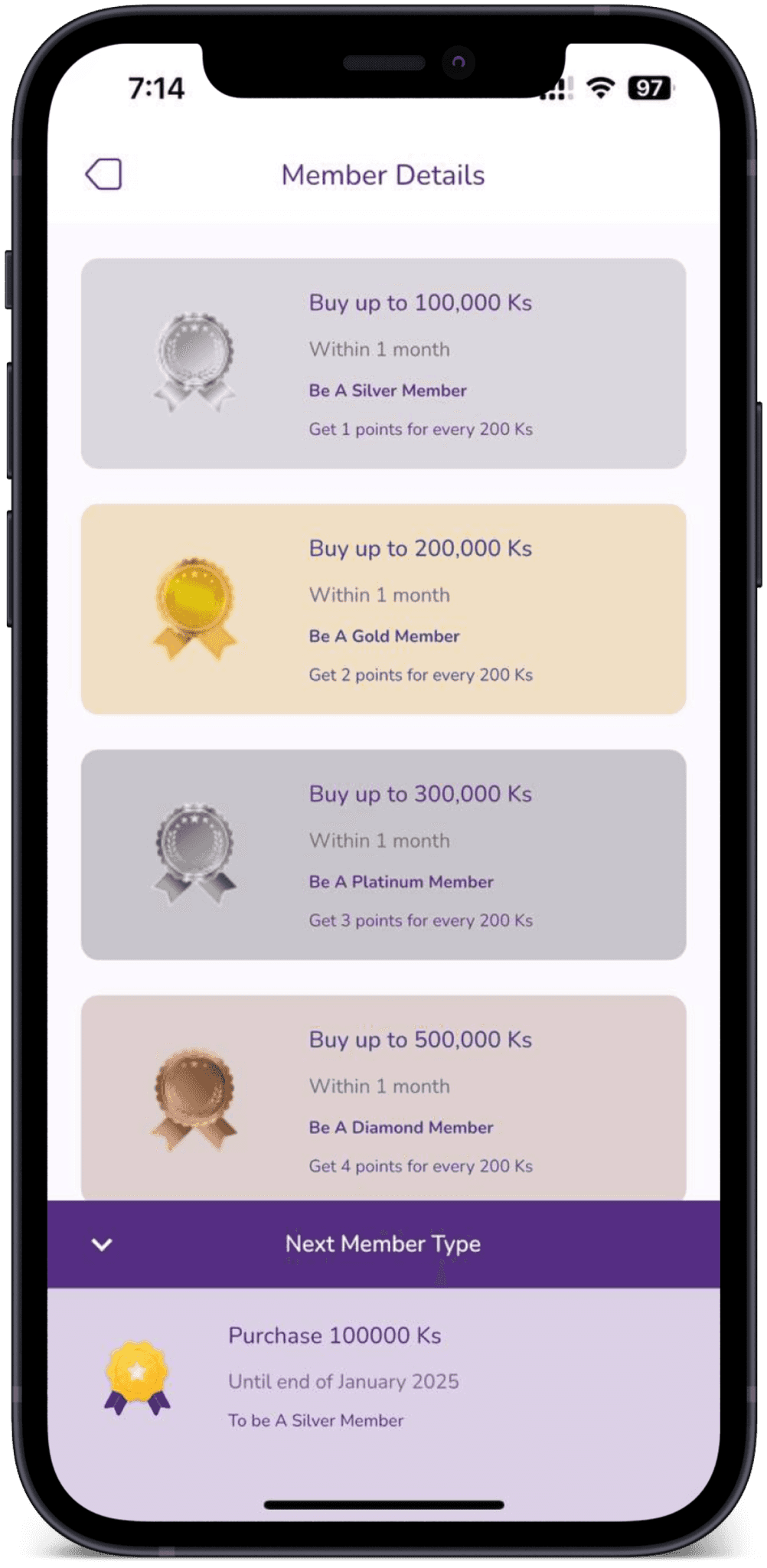
Pain Points
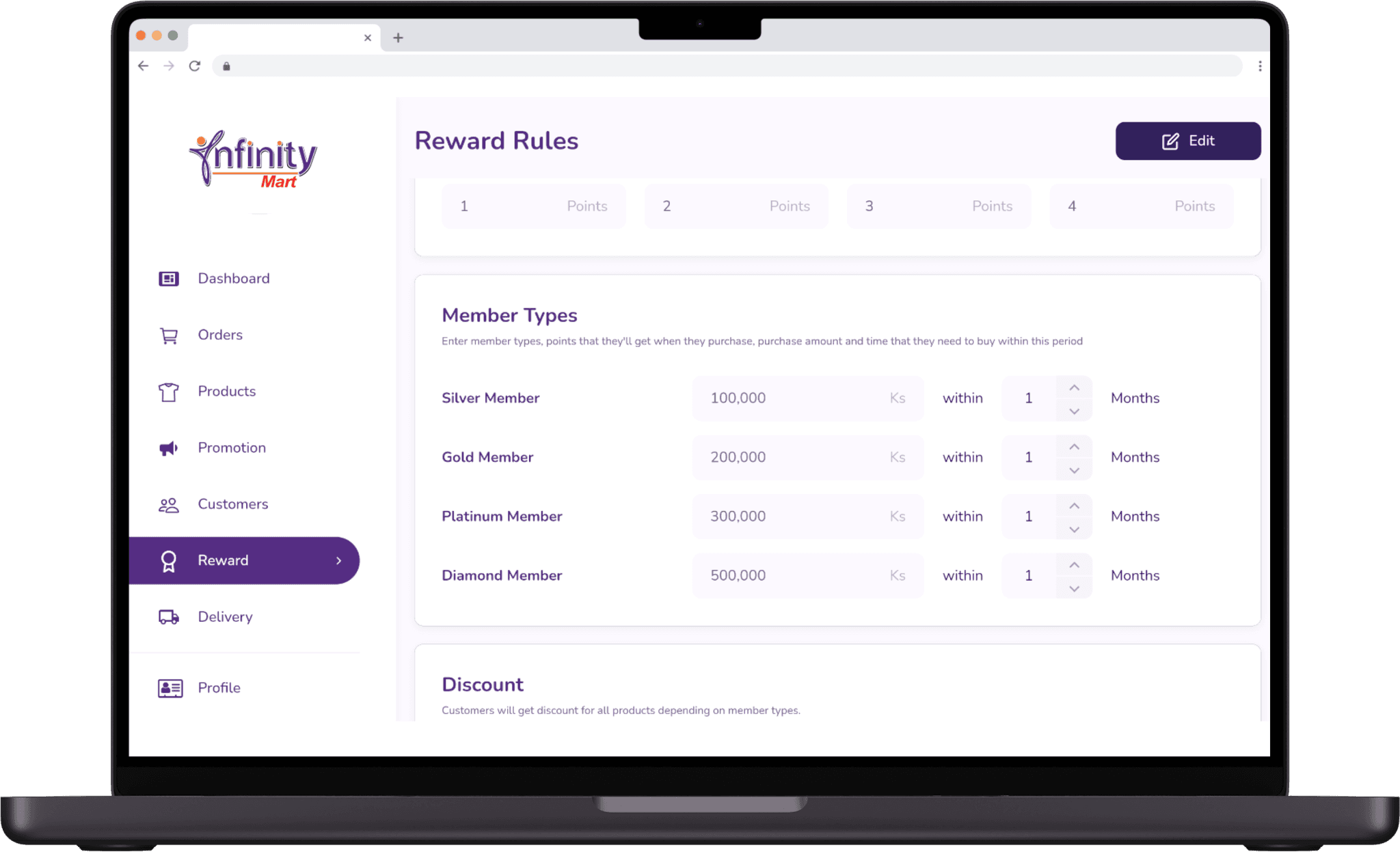
Admins couldn’t configure membership rules or benefits tailored to specific user tiers.
Users struggled to understand and utilize membership points, leading to reduced engagement.
Users had no control over how many points to redeem during purchases.
Solutions
Added customizable points and discount settings in the admin panel for each tier.
Enabled manual membership upgrades for admins.
Allowed users to choose the number of points to redeem during checkout.
Improved point balance visibility and clarity in the app.
Delivery Information
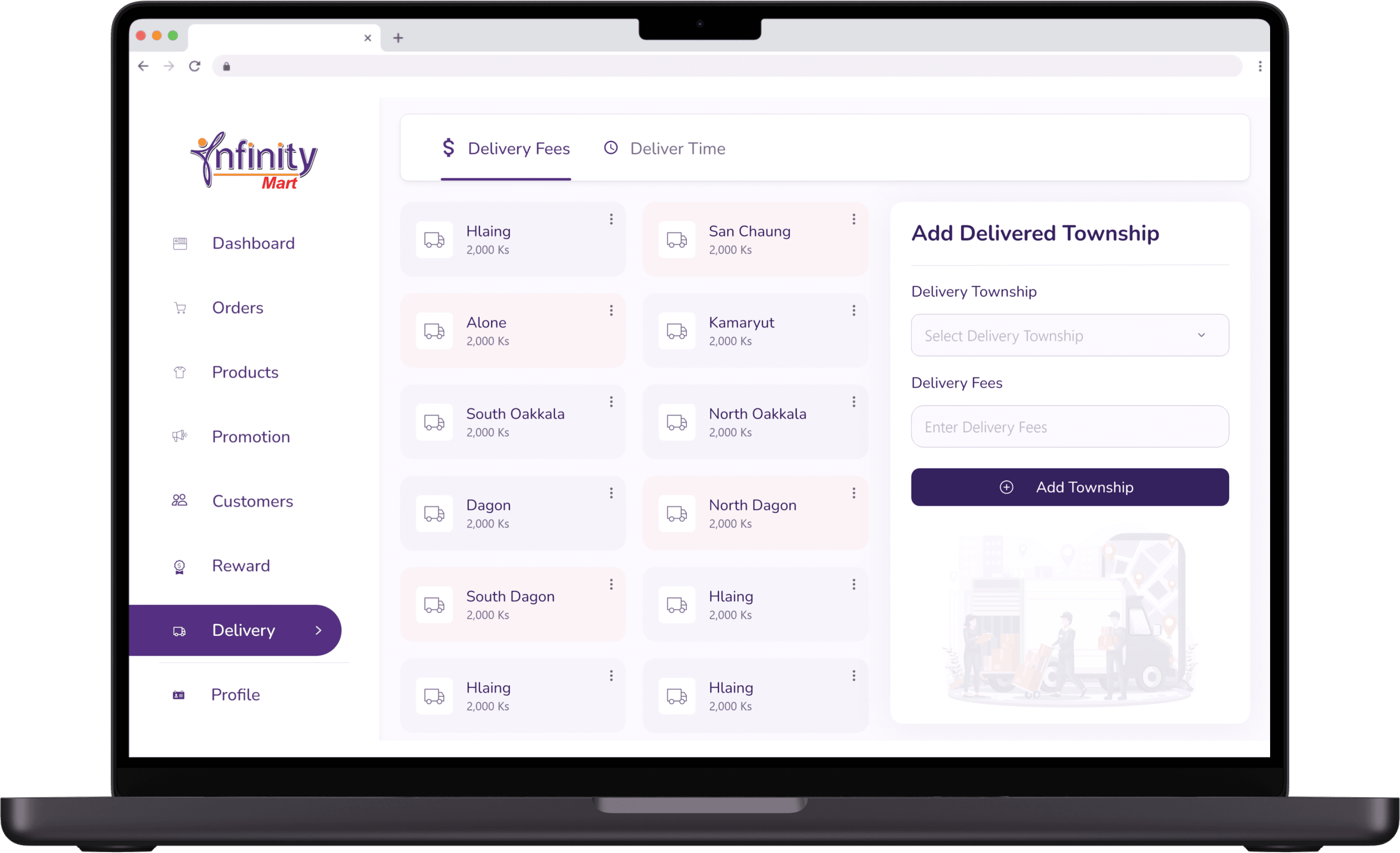
Pain Points
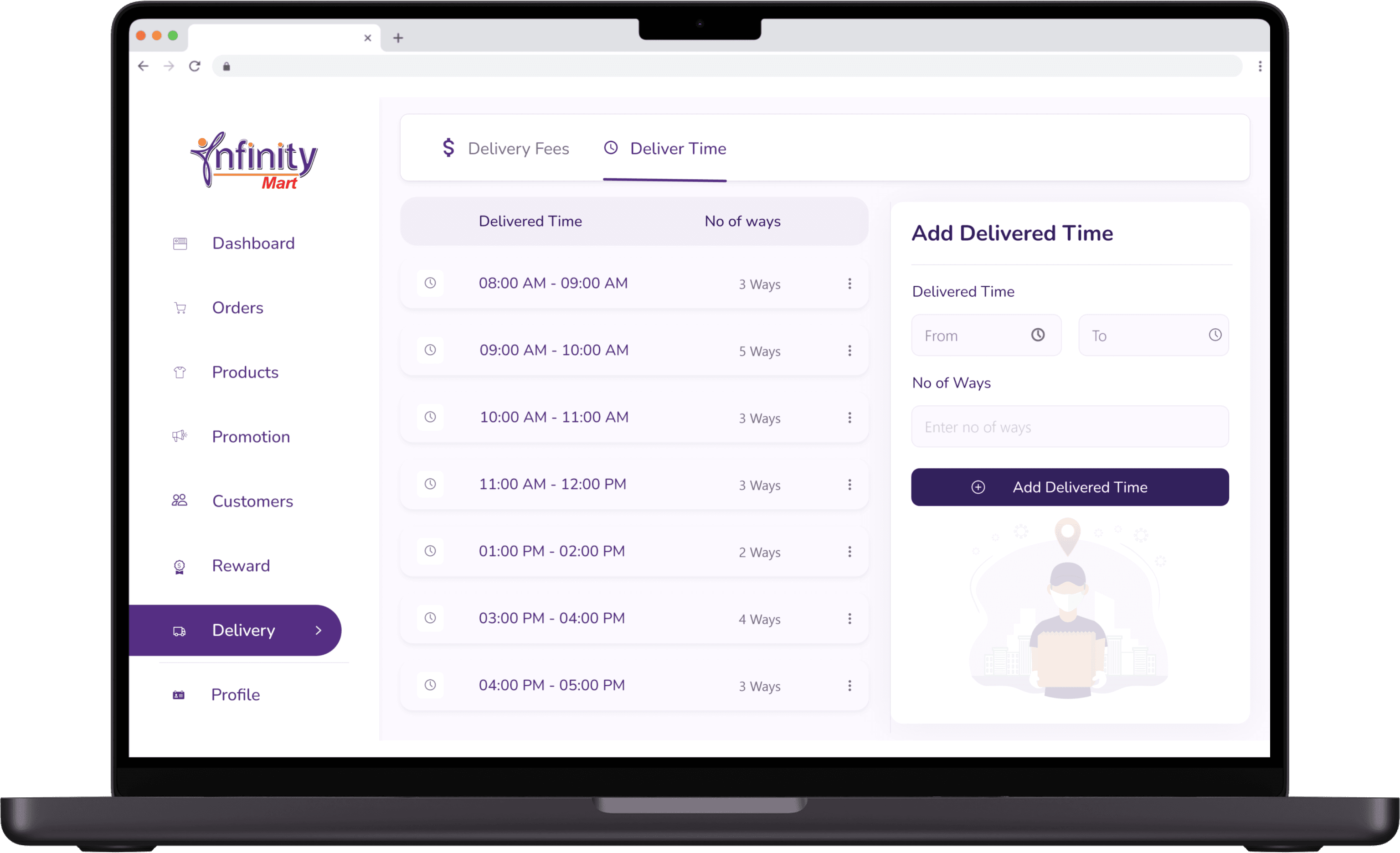
Managing delivery schedules was complex due to varying delivery times across different townships.
Admins faced challenges in configuring multiple time frames for each township.
Solutions
Designed an interface for admins to configure delivery fees specific to each township.
Added options to create multiple time frames and assign number of ways to each.
Solutions
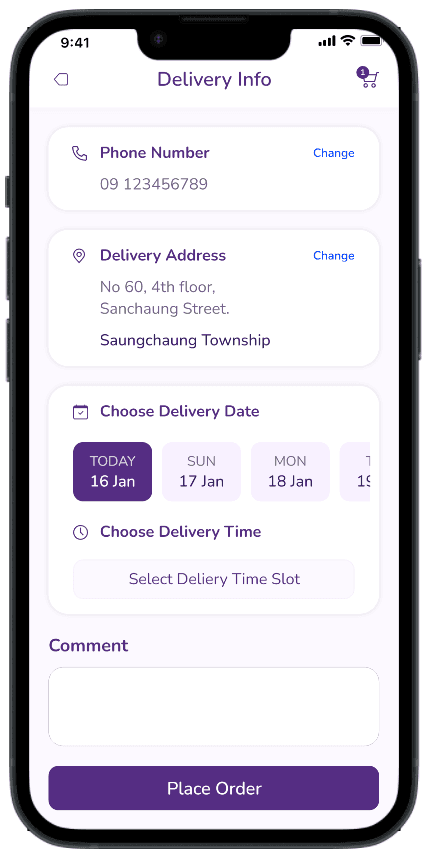
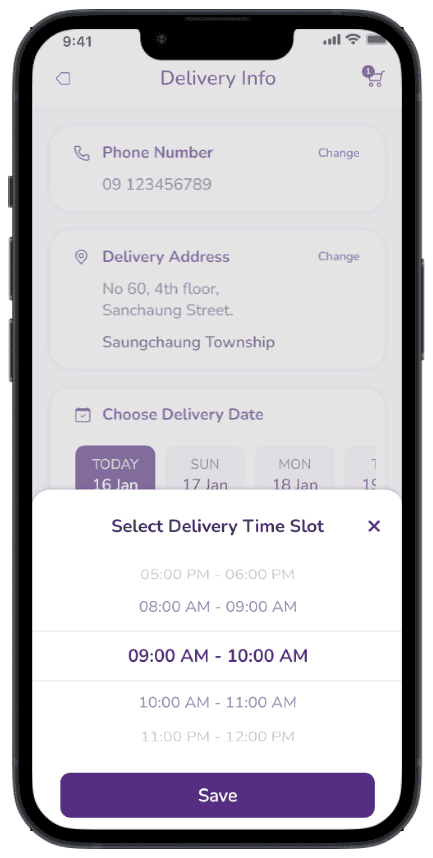
Added a feature allowing customers to select their township and preferred delivery time during checkout.
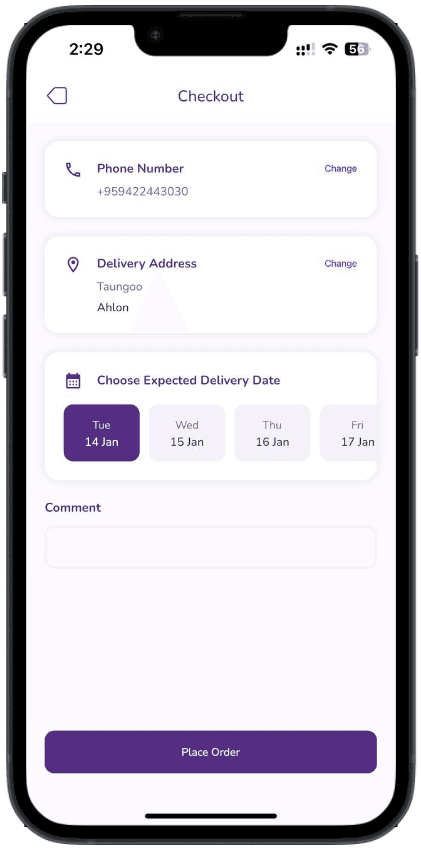
Since the client could not provide delivery times initially, the feature was temporarily hidden until they were ready to offer this functionality.
Final Outcome
Successful Launch: 500+ Downloads in the First Month!
The project was a success, with the customer app seamlessly launched on the App Store and Play Store, achieving over 500 downloads within the first month.
MOBILE APPLICATION
The app were launched smoothly on the App Store and Play Store, surpassing 500 downloads in the first month.
ADMIN DASHOBARD
Implemented and updated to streamline operations, allowing Infinity Mart to efficiently manage processes and boost customer engagement.
Key Metrics
Reflection
Challenges
Feature Creep and Requirement Inaccurancy:
As we presented features, new advanced requests emerged, compounded by unclear and incomplete requirements, leading to ongoing revisions and making it difficult to stay aligned on the project scope.
Limited Timeframe:
With a tight deadline, we were under pressure to deliver within a set period. We focused on defining the MVP and prioritizing core features, leaving additional features for future versions.
Technical Constraints:
We couldn’t implement all the requested features in the first version, so we prioritized essential features and planned for a phased rollout in future updates.
Lesson Learned
Lesson 1: Balancing Client Expectations with User Needs
This project emphasized the importance of balancing client goals with user needs. While the client aimed to increase sales and streamline operations, users prioritized finding products quickly and completing purchases effortlessly.
Lesson 2: Clear requirements prevent setbacks
Highlighted the importance of clear, early alignment to avoid design changes that impact development.
Lesson 3: Aligning Design with Business Growth
I discovered the value of user-centered designs in driving business success. Practical, intuitive solutions not only enhanced the user experience but also contributed to achieving strategic business outcomes.
Lesson 4: Collaboration with Development Team in Early Stages
Showed the value of close collaboration to balance design goals with technical constraints, ensuring functionality and user experience.